If you run your pipeline in Folk, you already know the pitch: a CRM that lives where you actually work (Gmail, LinkedIn, WhatsApp) and an AI layer (folkX, Recap Assistant, Magic Fields) that keeps your contacts enriched as you go.
The one thing it couldn't do on its own was capture what happened inside your meetings.
That changes today. Fireflies, the #1 AI Assistant for meetings and work, now syncs natively with Folk. Every meeting Fireflies records (Zoom, Google Meet, Microsoft Teams, Webex) can flow straight into the right person, company, and deal in Folk. No copy-paste. No "I'll update the CRM later."
This guide walks through what the integration does, how to set it up in under five minutes, and the workflows Folk users are already building on top of it.
Watch: How to connect Fireflies and Folk
5-minute walkthrough: connecting Fireflies to Folk, configuring sync rules, verifying your first meeting lands in the right place
What the Fireflies x Folk integration does
Once connected, Fireflies handles the meeting capture and Folk handles the relationship record. The sync moves four things automatically.
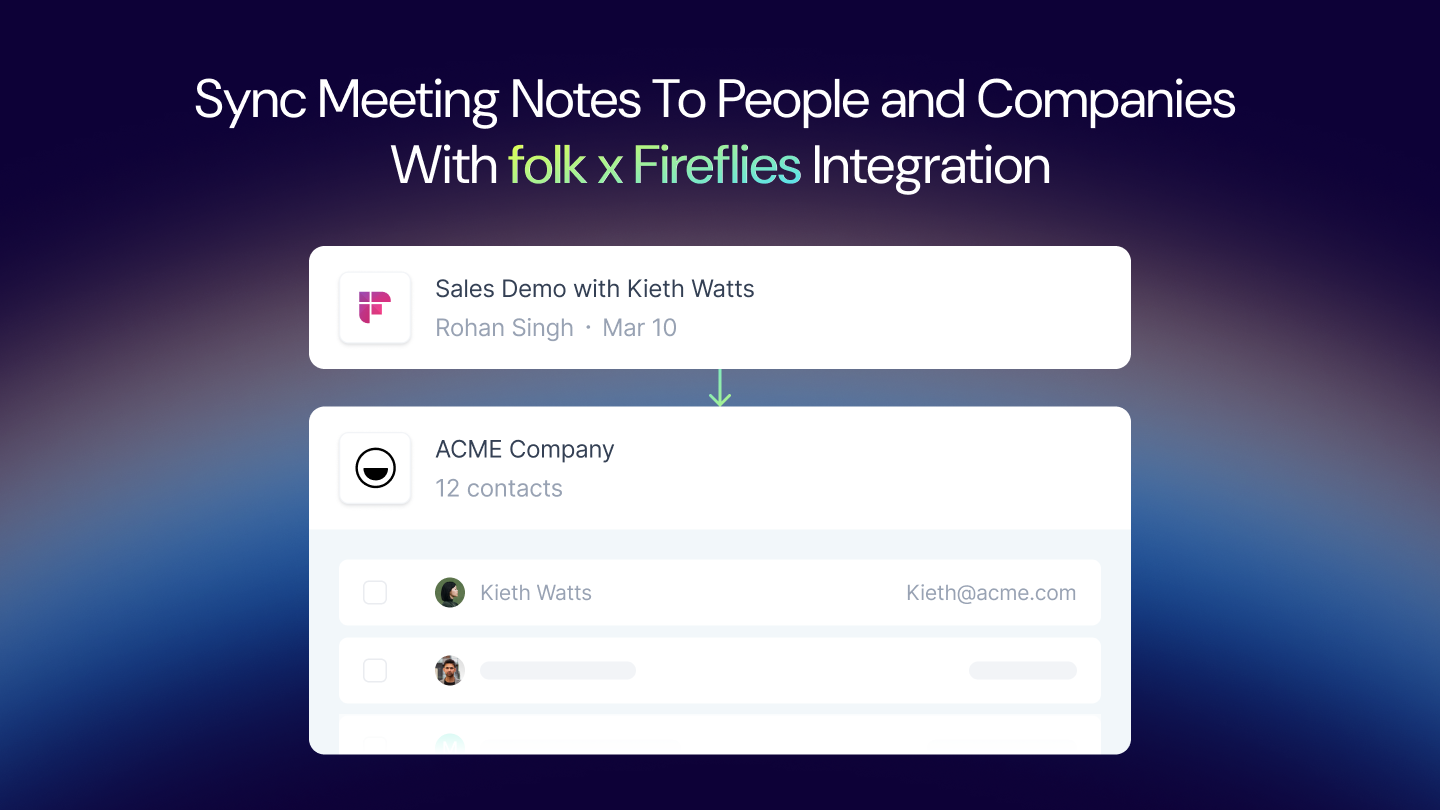
1. Meeting notes auto-sync to existing contacts in Folk. When Fireflies records a meeting, it matches attendees against your Folk contacts by email and drops the transcript, AI summary, and action items onto their record.
2. New people are created from meeting participants. If someone on the call isn't in Folk yet, Fireflies creates the contact and attaches the meeting to it. No more post-call data entry for fresh intros.
3. Notes attach to associated companies for full context. Meetings don't just live on the person record. They roll up to the company in Folk, so any teammate looking at the account sees the full conversation history.
4. Integration rules control which meetings sync. Not every meeting belongs in the CRM. Use rules to sync only external meetings, only meetings with a specific tag, only meetings hosted by sales teammates, or any other condition you need. Internal 1:1s and team syncs stay out.
Why this matters for Folk users specifically
Folk's sweet spot is relationship-led sales: founders, agencies, partnership teams, venture capital firms, and anyone selling through warm intros rather than outbound volume. For these teams, the cost of a stale CRM is bigger than a missed data point. It's forgetting a promise you made to a partner three weeks ago, or re-introducing yourself to a prospect your cofounder already met.
Fireflies closes the gap that mattered most.
- Your Recap Assistant gets better. Folk's Recap Assistant synthesizes from a contact's full interaction history. Add meeting transcripts and AI summaries to that history, and recaps finally reflect what was actually said on the call, not just what was typed in an email after.
- Magic Fields have more to work with. If you've set up Magic Fields to categorize deals, extract next steps, or summarize relationships, they now include meeting content as an input.
- Follow-up drafts are accurate. The Follow-up Assistant drafts replies based on what's in Folk. With Fireflies notes attached, those drafts reference specific things discussed on the call.
- Your whole team sees the conversation. Partnership teams especially benefit here. If a cofounder takes a call and Fireflies logs it to Folk, the rest of the team can search it in AskFred or read the summary on the company record without a handoff email.
How to set it up
This takes about five minutes. The video above walks through it visually. Here are the steps in writing.
Before you start
You'll need:
- A Fireflies account on any paid plan (Pro, Business, or Enterprise). Start a free trial.
- A Folk account with access to your CRM workspace.
- Admin permissions in both tools if you're setting up team-wide sync.
Step 1: Connect Folk from Fireflies Integrations
- Log in to Fireflies and open Integrations from the left sidebar.
- Search for Folk and click Connect.
- You'll be redirected to Folk to authorize the connection. Select the workspace you want to sync into and approve the permissions.
- You'll land back in Fireflies with Folk marked as connected.
Step 2: Configure your sync rules
Sync rules decide which meetings land in Folk. By default, Fireflies won't sync anything until you turn at least one rule on.
Inside the Folk integration settings, set:
- Which meetings sync. Options include all external meetings, meetings with specific participants, meetings in a selected calendar, or meetings tagged in Fireflies. External-only is the most common choice.
- What syncs on each record. Toggle transcript, AI summary, action items, and meeting recording individually.
- What happens when the contact doesn't exist. Create a new person in Folk, or skip the sync. Most teams enable creation.
- Company matching. Match by email domain so meetings roll up to the right company automatically.
Step 3: Run a test meeting
The fastest way to verify the setup is a live test.
- Add Fireflies to any upcoming meeting (it joins automatically if you've enabled calendar sync, or you can invite
[email protected]to the calendar event). - Run a 2-minute test call with a teammate.
- When the meeting ends, wait for Fireflies to process the summary (usually under 5 minutes).
- Open Folk and search for the contact. The meeting, summary, and action items should appear on the person and company records.
If they don't show up, check the sync rule you configured in Step 2. The most common cause is a rule that filters out the test meeting (for example, "external only" when you tested with a teammate).
Step 4 (optional): Add AI Skills to auto-fill Folk custom fields
This is where the integration goes from useful to compounding.
Fireflies ships with 200+ AI Skills: prebuilt post-meeting tasks that extract specific information from a call. A few that pair well with Folk:
- MEDDIC or BANT scorecard for sales calls. Fireflies extracts budget, authority, need, timeline, decision criteria, and pain into structured fields that sync to Folk.
- Intro call summary for founders and partnership teams. Warm intro context, what the person does, what they're looking for, and next steps, all extracted and logged.
- Candidate screening for recruiters using Folk as an ATS-lite. Extracts experience, motivation, compensation expectations, and fit signals.
- Action items assigned to owners for cross-functional meetings.
In Fireflies, enable the AI Skill you want. Map its output to a Folk custom field. Now every qualifying meeting writes structured data to the right place, not just a transcript blob.
Three workflows Folk users are already running
Founder running discovery calls. Every intro call gets auto-logged to Folk with a structured summary (company, stage, what they're building, warm intro source, next step). Magic Fields categorize the deal. The Follow-up Assistant drafts a personalized reply based on what was actually discussed.
Agency managing client relationships. Project kickoffs, status calls, and renewal conversations all sync to Folk. The account lead, the creative lead, and the PM can all see the same context. Nobody emails "can you catch me up on the ACME call?"
VC firm tracking portfolio and deal flow. Partner meetings, founder check-ins, and LP updates flow into Folk automatically. AskFred lets partners query across every call ("what's the latest on Series B conversations?") without opening individual records.
FAQ
Do I need a paid Fireflies plan to use the Folk integration?
Yes. CRM integrations are available on Fireflies Pro, Business, and Enterprise plans. Start with a free Fireflies trial to test it end to end.
Will it sync my past meetings automatically?
The integration syncs meetings going forward by default. You can backfill past meetings manually from the Fireflies meeting page. Open any past meeting and push it to Folk.
Can I control which teammates' meetings sync?
Yes. Admins can scope the integration to specific users or user groups. Common setup: only sales and partnership teammates sync to Folk, while internal-only teams (engineering, design) don't.
What happens to meeting recordings and transcripts?
The AI summary and action items land in Folk. The full recording and transcript stay in Fireflies, and Folk links back to them so anyone on the contact record can open the source in one click.
Is the integration compliant with our data requirements?
Fireflies is SOC 2 Type II, HIPAA-BAA, FERPA, and GDPR compliant, with a Zero Data Retention policy with AI vendors. Fireflies does not use customer data to train AI models. Folk is SOC 2 Type I certified, GDPR compliant, and Google Security certified.
How does this compare to Zapier or n8n-based automations?
You can automate Fireflies to Folk via Zapier, n8n, or the Fireflies API. The native integration is faster to set up, handles contact and company matching automatically, supports rule-based filtering without custom logic, and stays in sync when either product changes its schema. Use Zapier or n8n when you need to branch into a third system beyond Folk.
Does this work for non-sales use cases?
Yes. Folk is used by agencies, VC firms, partnership teams, and hiring teams. The integration works the same way regardless of the use case: meetings sync to people and companies, and AI Skills extract whatever structured data you need for that workflow.
What to do next
- Connect Fireflies and Folk →
- Configure one sync rule (external meetings only is a safe default).
- Run a test meeting and verify it lands in Folk.
- Turn on one AI Skill that maps to a Folk custom field.
From there, your CRM updates itself.
💡 Meet the #1 AI Assistant for meetings and work
Fireflies records, transcribes, and summarizes every meeting, auto-drafts your follow-up emails, triages your Slack, and keeps your CRM updated automatically. Trusted by 20M+ people across 1M+ organizations.
Related reads: