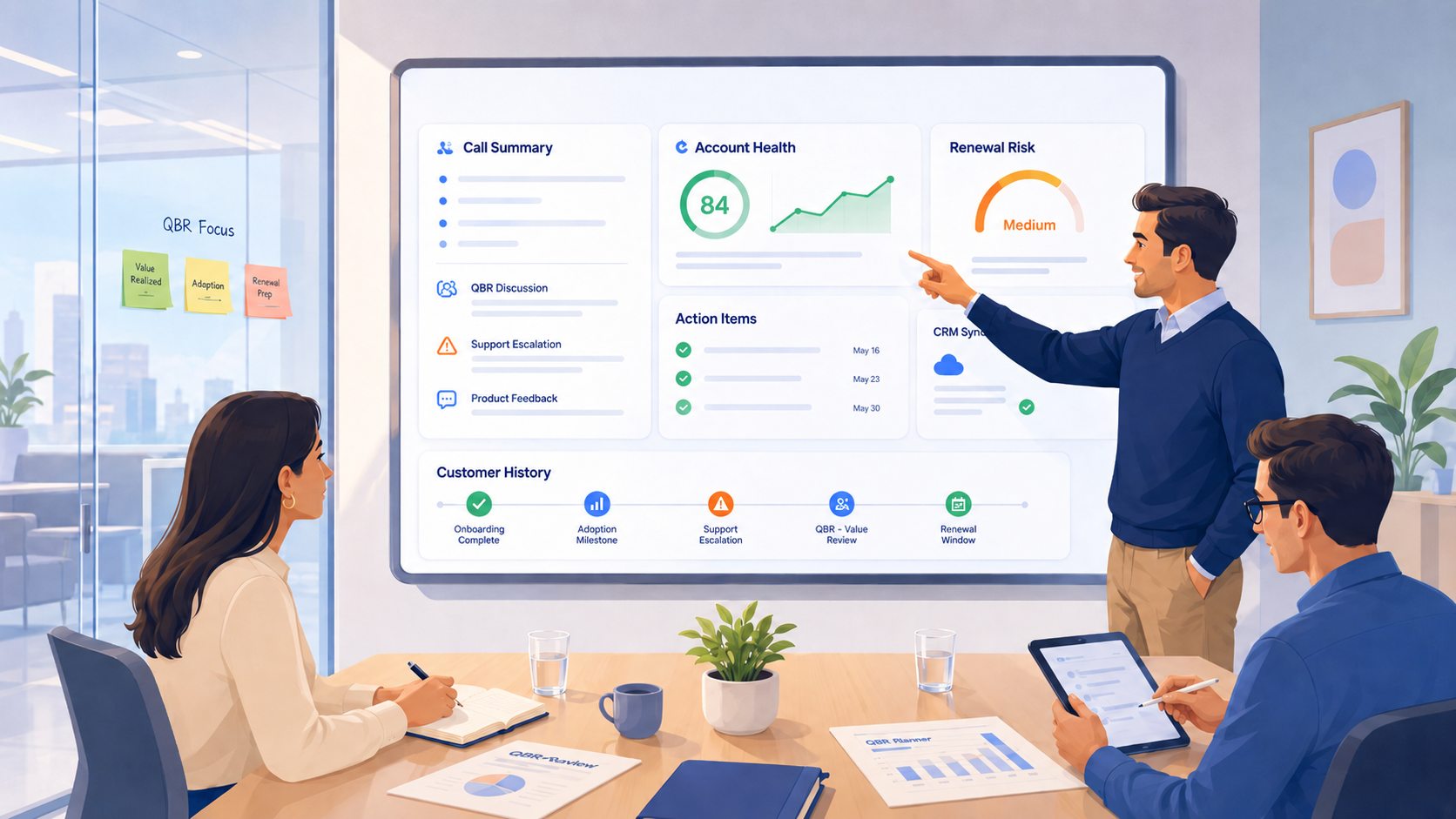

The best AI notetaker for customer success is the one that handles the work after the call, not just the recording of it. A CSM runs onboarding sessions, quarterly business reviews, health checks, and renewal conversations all week. Each of those meetings ends with the same heavy tail of admin, requiring them to update the CRM, write follow-up emails, and manually flag shaky accounts. That is why customer success teams need a tool that can do so much more than just transcribe and record the call.
This guide covers what to look for in an AI notetaker as a customer success team, which tools do it best in 2026, and how to choose the one that fits how your team works.
What Customer Success Teams Actually Need From an AI Notetaker
CS teams should look for an AI notetaker that does these 5 things:
- It logs the call to the CRM on its own
- Makes account history searchable across the whole team
- Produces customer success outputs like health scores and renewal prep
- Captures client calls without a disruptive bot
- Meets enterprise security and compliance standards
CRM logging that runs without manual entry
The single biggest time sink in customer success is updating the CRM after a call, and a notetaker that only records the meeting leaves that work untouched. An ideal tool takes the rep out of the loop entirely, turning AI meeting notes into CRM entries the moment a call ends.
Fireflies runs this as native sync to Salesforce, HubSpot, and Pipedrive. It writes the summary and notes to the contact, company, and deal record automatically. It then turns spoken action items into CRM tasks on its own, so no one in the team has to do the manual work.
Account history that stays searchable across the whole team
An account rarely stays with one person. A teammate covers a renewal while the owner is on leave, or a product manager needs the exact wording of a feature request a customer raised on a call last quarter. Finding it the manual way means opening transcripts one at a time and reading until something matches. The best AI notetaker for customer success makes the full history answerable in plain language, across every call at once.
Fireflies does this with AskFred. It searches every meeting the team has access to and returns the answer in seconds. It pulls context from connected Slack, email, and CRM, so the answer draws on more than a single transcript. Each answer points back to the call it came from, so a CSM can check the source before acting on it.
Outputs built for the way CS teams work
A clean record is not enough on its own, because customer success runs on analysis, judging whether an account is healthy, catching the early signs of churn, and prepping for a renewal. The right tool draws those conclusions after the call and leaves the rep to apply the judgment only a human brings.
Fireflies does this through AI Skills. It can help to read satisfaction signals into a health score, flag accounts that are slipping, and build renewal prep and QBR summaries with owners attached.
Capturing client calls without a bot
A bot joining a client call changes the room. Some customers go quieter the moment a recorder announces itself, and on a sensitive account that hesitation costs a CSM the candor they need. The best AI notetaker for customer success should give the rep a way to record without putting another participant in the meeting, while still telling the customer notes are being taken.
Fireflies covers this with its Chrome Extension. It records, transcribes, and summarizes a Google Meet call straight from the browser, with no bot joining as a participant. The same notes, summary, and action items arrive afterward, so nothing about the output changes.
Security and compliance that holds up for enterprise accounts
CS teams in healthcare, finance, and other regulated fields run customer calls under NDAs and data agreements, so the security review carries real weight and comes up early. Look for independent certification and a clear answer on whether the vendor trains models on your data.
Fireflies carries SOC 2 Type II and GDPR on every plan, including Free, with HIPAA compliance (Enterprise) under a BAA, FERPA (Enterprise), and private storage on Enterprise. On training, the policy is plain. Fireflies.ai does not use customer data to train any AI models. Your personal data is never used to train AI models. Users own their data.
The Best AI Notetakers for Customer Success Teams: Compared
Each tool below is matched to the five criteria from the last section, with the work it does best, its CRM and integration reach, and what it costs, so you can shortlist before you trial. Five made the list, and they sort cleanly by who they fit.
| Feature | Fireflies | Fathom | Avoma | tl;dv | Granola |
|---|---|---|---|---|---|
| Free plan | Yes (unlimited transcription) | Yes (unlimited) | No (14-day trial) | Yes (unlimited) | Yes (limited history) |
| CRM integration | Salesforce, HubSpot, Pipedrive (native) | HubSpot, Salesforce (field sync on Business) | Salesforce, HubSpot, Pipedrive, Zoho, Copper (native) | Salesforce, HubSpot (Pro) | HubSpot, Attio, Affinity (paid) |
| Searchable history | Yes (AskFred, team-wide) | Limited (Ask Fathom, beta) | Yes (Global Ask Avoma, add-on) | Yes (Pro) | Folder and note chat |
| Bot-free option | Yes (Chrome Extension) | Yes (Mac, beta) | Yes (native) | Yes (desktop app) | Yes (always) |
| AI Skills | 200+ (CS-specific) | No | Limited (add-on) | Limited (Business) | No |
| Languages | 100+ | 38 | 70+ | 30+ | 10 (Mac/Windows), 17 (iOS) |
| Compliance | SOC 2 Type II, GDPR; HIPAA (Enterprise) | SOC 2 Type II, HIPAA, GDPR | SOC 2; HIPAA (Enterprise) | SOC 2, GDPR; no HIPAA | SOC 2 Type 2, GDPR; no HIPAA |
| Starting paid price (annual) | $10/seat/mo | $15/seat/mo (Team) | $19/seat/mo (Startup) | $18/seat/mo (Pro) | $14/user/mo (Business) |
Fireflies joins your customer calls, logs structured notes to your CRM automatically, and makes every past conversation searchable for the whole team. Free plan available.
1. Fireflies (Best overall for CS teams)
Fireflies is the strongest fit for customer success because of how far past the transcript it reaches. The CRM sync is where that reach shows first. Fireflies connects natively to Salesforce, HubSpot, and Pipedrive. After a call, it logs the summary, the notes, and the action items onto the right records, down to the contact, the company, and the deal, so the account reflects what was said without anyone typing it in. Detected action items become CRM tasks assigned to their owner. The HubSpot connection also works in both directions, since Fireflies can pull HubSpot Dialer calls in and transcribe them, which brings phone conversations into the same account record as the video meetings.
Here's a sample meeting summary from a Google Meet QBR call:
|
Northwind Logistics QBR · Maya Okonkwo +3 | June 8, 2026, 2:00 PM | English (Global) Overview The team ran Northwind's quarterly review ahead of their July renewal. Adoption climbed across the core product, but two open API escalations and a stalled EU rollout surfaced as renewal risks. Maya will close out both escalations before the next call so the renewal stays on track. Notes Account health (01:10 - 06:30)
Risks (06:30 - 13:45)
Next steps (13:45 - 19:20)
Action items Maya Okonkwo
Diego Ruiz
Priya Menon
|
Account history sits behind AskFred. Ask it what a customer flagged about onboarding two quarters ago, and it answers from every meeting the team can access. It reaches past transcripts too, pulling context from connected Slack, email, and CRM. Each answer links back to the call it came from, so a CSM can check the source before acting on it. When a rep leaves, that history stays with the team instead of walking out the door.
The analysis runs through AI Skills, a library of more than 200 automations that fire after a meeting, with room to build custom ones. The library spans revenue and customer success teams, with several built for the customer success side specifically. The Customer Health Score Calculator reads satisfaction and onboarding signals and returns a score. The Risk Assessment Tool flags accounts drifting toward a shaky renewal. The Customer Success Plan Builder turns a call into objectives and next steps, and Success Handover packages an account for whoever inherits it. No other tool here ships a customer success skill set this specific.
Meeting capture options are flexible too. Fireflies has a Chrome Extension that records meetings straight from the browser with no bot joining in, and it does so without compromising the output. Fireflies also supports more than 100 languages, which helps a CS team managing accounts or working with colleagues outside English.
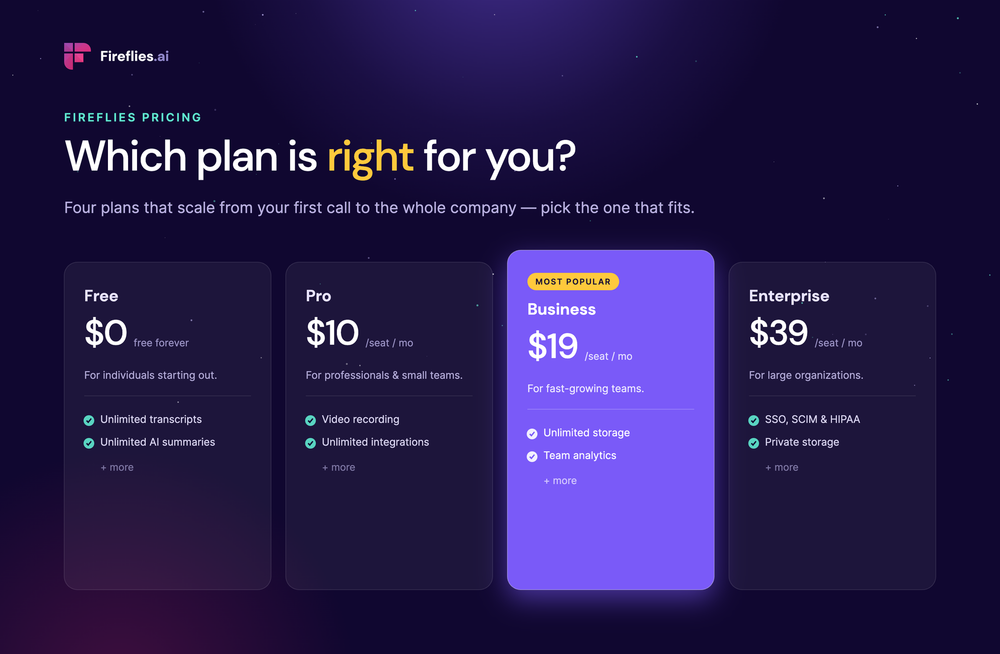
On price, Fireflies starts free. The free plan covers unlimited transcription, browser capture through the Chrome Extension, a limited version of AskFred, and transcription in more than 100 languages, with 800 minutes of storage per seat. Pro is $10 per seat per month, billed annually, and unlocks AI Skills, Voice Agents, and the Personal Assistant. Business moves to $19 a seat for unlimited storage, and Enterprise is $39 with private storage, SSO, and HIPAA compliance under a BAA. Security holds across every tier. SOC 2 Type II and GDPR cover all plans, including Free, and Fireflies does not train on customer data on any of them. Fireflies.ai does not use customer data to train any AI models. Your personal data is never used to train AI models. Users own their data.
2. Fathom (Best free pick for a solo CSM)
Fathom is the best AI notetaker option for a solo or small customer success team. It records and transcribes with no time limit, writes an instant summary, and lets you search across your own past calls, which already covers a CSM who wants every onboarding, check in, and renewal captured. Ask Fathom, its built in assistant, answers questions across your calls in plain language, so a question about what a customer said three months ago gets answered in a sentence. Custom summary templates shape a call around CS work like onboarding and QBRs, and detected action items flow into your CRM, Slack, or Asana once those are connected.
Where Fathom stops short for CS is the scored layer on top. It captures history and answers questions well, but it does not generate account health scores or churn flags, the automated signals a larger CS operation often wants watching its book. CRM sync is available, including on the free plan, though Fathom caps it at three users per domain until the Business tier, and writing meeting data into specific CRM fields is a Business feature. By default Fathom may use customer data, with identifying details removed, to improve its own models, and you can turn that off in settings.
Fathom runs the most generous free plan in this roundup, with unlimited recording and transcription, though advanced summaries and Ask Fathom are capped there. Paid plans start at $16 per user per month, billed annually. Team starts at $15 per user per month with a 2-user minimum, and Business starts at $25 per user per month, billed annually.
3. Avoma (Best for larger CS teams that want a coaching platform)
Avoma is a platform that records calls and then scores them. Notes and transcripts are the floor. The reason teams buy it is the analytics on top, call scoring, talk pattern breakdowns, coaching playlists, and deal tracking, the machinery a manager uses to run a team, where the rest of this list mostly helps one rep remember a call.
For customer success the value sits in the review layer. Avoma records across the major meeting platforms, saves the call and its notes into Salesforce, HubSpot, Zoho, Pipedrive, or Copper, and lets a lead score a call against a scorecard. Its assistant can answer questions across past calls when the relevant add-on/module is enabled. For a larger CS org that coaches reps and reports upward, that is a real workflow.
The strength is coaching and reporting depth, more than a notetaker gives you, and the CRM auto save reaches more systems out of the box than most of this list. The weakness is the cost and how it is packaged. The scoring and coaching that justify Avoma are not in the base price. They sit in a module that adds $29 a seat, so the working cost lands near $48 once it is on. Its native integrations run to about 30.
Avoma is the one tool here with no free plan. You get a trial of 14 days and then view only seats, enough to evaluate and not enough to run on. Paid tiers open at Startup, $19 a seat a month on annual billing for teams up to 25, then Organization at $29 a seat for up to 100, then Enterprise at $39, annual only, which carries HIPAA, SSO, and the controls a larger buyer needs.
4. tl;dv (Best for free video and clip sharing)
tl;dv is an AI notetaker built around recording, transcribing, and sharing. It records Zoom, Google Meet, and Teams calls and transcribes them in more than 30 languages. Where it leans hardest is clips, cutting a moment out of a call and sending it on.
For a customer success team, the pull is two things, a free plan that keeps recording with no time limit and a fast way to turn calls into coaching material. A CSM can pin a moment live, cut a snippet, and share it so a new hire learns from real customer calls. The library is searchable, so voice of customer evidence for a roadmap review or a churn post mortem is a keyword away.
The CRM sync and the follow up drafting sit on the paid Pro plan, at $18 a seat a month on annual billing, or $29 billed monthly. On that plan, tl;dv logs notes to Salesforce and HubSpot and drafts a follow up email after the call. There is no customer success automation underneath, nothing that tracks account health or renewal, and tl;dv runs out of road once the job shifts from capturing calls to managing accounts.
Above Pro, the Business plan runs $29 a seat a month on annual billing, or $39 monthly, adding premium transcription, insights across multiple meetings, and the AI coaching layer of playbook monitoring and objection handling. Enterprise is custom, where SSO, SCIM, and privately hosted AI live. tl;dv is SOC 2 certified and GDPR compliant, hosts data in the EU, and does not offer HIPAA, which a regulated CS team should note.
5. Granola (Best for CS teams that rely heavily on HubSpot)
Granola is an AI notepad built for people who run one meeting straight into the next. It does not put a bot in the call. It records your computer's own audio in the background while you type, and when the meeting ends it merges your notes with what it heard into one clean note.
For a CS team, Granola reads who is on the call and what kind of meeting it is, so an onboarding session and a renewal review come out structured differently. Its chat works across every note and shared folder, so a question like what an account flagged about onboarding last quarter gets answered from past calls. Before each external call, it preps a brief from your calendar covering who is attending and what came up last time. After the call, it can draft a follow up, enrich the contact record, and write a handoff summary when an account changes owner.
Granola structures notes by meeting type and merges them with the transcript for a clean, accurate result, and the folder chat plus the briefs give a CS team something close to a shared account memory. Granola doesn’t scores account health, flags a renewal at risk, or builds a success plan, the automation a larger CS team leans on. Its CRM reach covers HubSpot, Attio, and Affinity, with no Salesforce or Pipedrive, and those connectors open only on the paid plan. Granola also runs on Mac, Windows, and iOS with no Android, and by default it trains its own models on meeting data. Granola says Basic users can opt out of model training any time, while Enterprise adds an org-wide opt-out for everyone on the team. Granola starts with a free plan covering AI notes, templates, and chat, but it limits how far back your history stays visible and includes no integrations, so it works as an extended trial more than a full CS setup. Business, at $14 per user per month, adds unlimited history, the CRM and app connectors, shared folders, and stronger AI models. Enterprise runs $35 and up per user, adding SSO and the switch to turn off model training across the whole company.
Editor's note: If you are part of a customer success team inside a large enterprise where the sales department runs a big revenue operation that lives in forecasting, deal analytics, and structured coaching programs, Gong is worth considering. It goes deeper on sales intelligence than anything here, but its pricing comes by custom quote and sits at the enterprise end.
How to Choose the Right Tool for Your CS Team
- Choose Fireflies if you need the work after the call to run on its own and the account history to stay searchable as the team grows, with enterprise compliance behind it. It is the only tool here that combines CRM logging, team-wide searchable account history through AskFred, and CS-specific AI Skills for health scoring and renewal-risk workflows.”
- Choose Fathom if you are a single CSM getting started. The free plan records and transcribes every call with no time limit and writes clean summaries, which is enough to stop losing context between conversations. Just know the account automation and CRM sync arrive only once you start paying.
- Choose Avoma if you run a larger CS org that coaches reps and reports upward, and you have the budget to do it properly. It gives you call scoring, talk pattern analysis, and coaching playlists that a notetaker alone cannot, with CRM auto save across five systems.
Frequently Asked Questions
What is the best AI notetaker for customer success teams?
For most customer success teams, Fireflies is the strongest fit. Notetaking is only one of its functions. As the #1 AI Assistant for meetings, email, Slack, CRM, and work, Fireflies covers automatic CRM logging into Salesforce, HubSpot, and Pipedrive, account history you can search with AskFred, and AI Skills that score health and flag renewal risk after the call. Fathom is the better starting point for a solo CSM on a free plan, and Avoma suits a larger org that wants coaching analytics and can absorb the cost.
How do AI notetakers help with CRM hygiene?
AI notetakers help with CRM hygiene by writing call records into the CRM automatically, so nothing depends on a rep remembering to do it. CRM data goes stale because reps forget to log calls, not because they do not care. The tool fixes that at the source, writing the summary, the action items, and the next steps into the contact or deal record on its own, so the CRM reflects what was actually said.
Can AI notetakers help prevent churn?
AI notetakers can help prevent churn if they do more than transcribe. The signals that predict churn, a frustrated tone, a missed milestone, a renewal no one prepared for, are sitting in your calls already, and the tools that surface them turn notes into early warning.
Is Fireflies good for customer success teams?
Yes, Fireflies is one of the best tools for customer success teams. Beyond capturing the call, Fireflies logs the meeting notes into your CRM, makes every past account conversation searchable through AskFred, and runs AI Skills that handle customer success work like health scoring and renewal prep.
What is the best tool for taking notes in QBRs?
Fireflies is one of the best tools for taking notes in QBRs. Fireflies handles the QBR from start to finish, provide transcript across several speakers with accuracy rate of 99% for English and 95% for other languages, a summary organized into adoption, risks, and next steps, action items routed to owners, and the whole call logged to the account in your CRM.
How do CS teams use AI to track account health?
CS teams use AI to track account health by having it read every customer call for the signals that point to a renewal or a churn risk, then turn those signals into a score they can act on. The strongest tools pull from sentiment, product adoption mentions, and the issues a customer raises and leaves unresolved, so the assessment does not depend on a CSM remembering every account. In Fireflies, the Customer Health Score Calculator and the Risk Assessment Tool run after each call as AI Skills, scoring the account and flagging the ones drifting toward a shaky renewal.
Can AI notetakers preserve institutional knowledge when a rep leaves?
Yes, AI notetakers can preserve institutional knowledge when a rep leaves by keeping every call as searchable history the team still owns. When a CSM leaves, their account context usually walks out with them, every call they took, every promise made, every reason a renewal slipped. A tool that stores those calls keeps that knowledge in the company, so the handoff no longer depends on whoever is leaving writing it all down.
Conclusion
Customer success runs on context, and context is the first thing to slip as a team grows. Calls stack up, reps move on, and the detail that should drive the next renewal scatters across notebooks, inboxes, and memory. Every tool here helps with a piece of that. The best AI notetaker for customer success is the one that closes the whole loop, and that is Fireflies. It captures the call, logs it into the CRM on its own, and turns every past account conversation into history the team can search through AskFred.