6 Best Circleback Alternatives for AI Meeting Notes [2026]
 Shivani Bohare14 min read

On this page
- Why People Look for a Circleback Alternative
- The Best Circleback Alternatives at a Glance
- 1. Fireflies, Best Overall Circleback Alternative
- 2. Fathom, Best Free Tier
- 3. tl;dv, Best for Free Video and Clips
- 4. Otter, Best for Real-Time Collaboration
- 5. Granola, Best for Bot-Free Personal Notes
- 6. Bluedot, Best Bot-Free for In-Person
- How to Choose a Circleback Alternative
- Finding the Circleback Alternative That Fits Your Team
- Frequently Asked Questions About Circleback Alternatives
- What is the best alternative to Circleback?
- Is there a free Circleback alternative?
- Why do people switch away from Circleback?
- Does Circleback have a free plan?
- What is a good Circleback alternative for in-person meetings?
- Which Circleback alternative is best for sales teams?
- Do any Circleback alternatives work without a bot?
Circleback spent three years selling meeting notes without a free seat. On August 31, 2026, the company changed its model overnight, just as thousands of frustrated users had started searching for alternatives. If you’re one of them, the new free tier may come too late. It doesn’t address why you started searching.
Circleback earned its reputation for good reason. Its automation engine can turn a sales call into an updated CRM record, a drafted follow-up email, and a logged action item without manual work. The workflow gives Circleback an edge over basic transcript apps, especially for teams tired of copying the same meeting details into multiple tools.
The trouble begins when those automations run out. Searches for Circleback alternatives (and Circleback AI alternatives) still lead to comparisons built around an older, pricier product that no longer reflects Circleback's current offering. A useful Circleback review needs to reflect those changes, and Circleback pricing also deserves a fresh look. No single best AI notetaker fits every team, but the right tool can make AI meeting notes far more useful. This guide covers six strong options and compares them with Circleback.
Why People Look for a Circleback Alternative
Circleback pricing changed on August 31, 2026, when Circleback introduced its first free plan in three years. The plan lowers the entry cost, but it still comes with several limitations.
- The free tier keeps meeting history for 30 days. After 30 days, you lose access to older recordings and notes.
- Automations remain limited until you upgrade to Pro at $15 per seat. Since automations give Circleback much of its appeal over a basic transcript tool, the restriction can push teams toward Circleback AI alternatives.
- Circleback also offers a bot-free desktop option for audio recordings, while video meetings still require the bot. This difference can influence teams comparing Circleback with other meeting assistants.
- Online information about Circleback pricing often reflects older plans, which can make older comparisons misleading. A recent Circleback review should account for the August 2026 changes before you use it to evaluate Circleback.
For teams researching the best AI notetaker, three recurring concerns stand out in recent Circleback discussions. Users point to paid automations, the 30-day history limit, and uncertainty around bot-free recording. For the direct answer on Fireflies vs Circleback, that comparison lives on its own page, while this list of Circleback alternatives covers the wider field. Teams also looking into Circleback vs Otter or Circleback vs Granola can use those criteria to compare how each tool handles recordings, notes, and follow-up work.
Laxis reported in 2026 research that 84% of people change what they say or withhold information after noticing a meeting bot on a call. Bot-free recording can therefore become a key consideration when you compare AI meeting notes.
Did You Know? Circleback didn't offer a free plan at all until August 31, 2026, and the new one still caps meeting history at 30 days, according to Circleback's own release notes. |
The Best Circleback Alternatives at a Glance
Most Circleback AI alternatives searches come down to three questions, including what the free plan includes, what it costs once you outgrow it, and how it fits your meetings. Circleback pricing changed completely two weeks before this went live, which is why the date below matters.
Last verified: September 2026.
Tool | Best for | Free plan | Starting paid price |
Fireflies | Best overall | Yes, 3 AI summaries/month, 800 min storage | $10/user/month billed annually, or $18 month-to-month |
Fathom | Best free tier | Yes, unlimited recording | $16/user/month billed annually, or $20 month-to-month |
tl;dv | Best for free video and clips | Yes, unlimited recording and video | $18/seat/month billed annually, or $29 month-to-month |
Otter | Best for real-time collaboration | Yes, 300 minutes/month | $8.33/user/month billed annually, or $16.99 month-to-month |
Granola | Best for bot-free personal notes | Yes, basic plan | $14/user/month |
Bluedot | Best bot-free for in-person | Limited, 5 meetings lifetime | $14/user/month billed annually |
Want a Circleback alternative with a real free plan? Fireflies gives you unlimited transcription at no cost. Get started. |
1. Fireflies, Best Overall Circleback Alternative
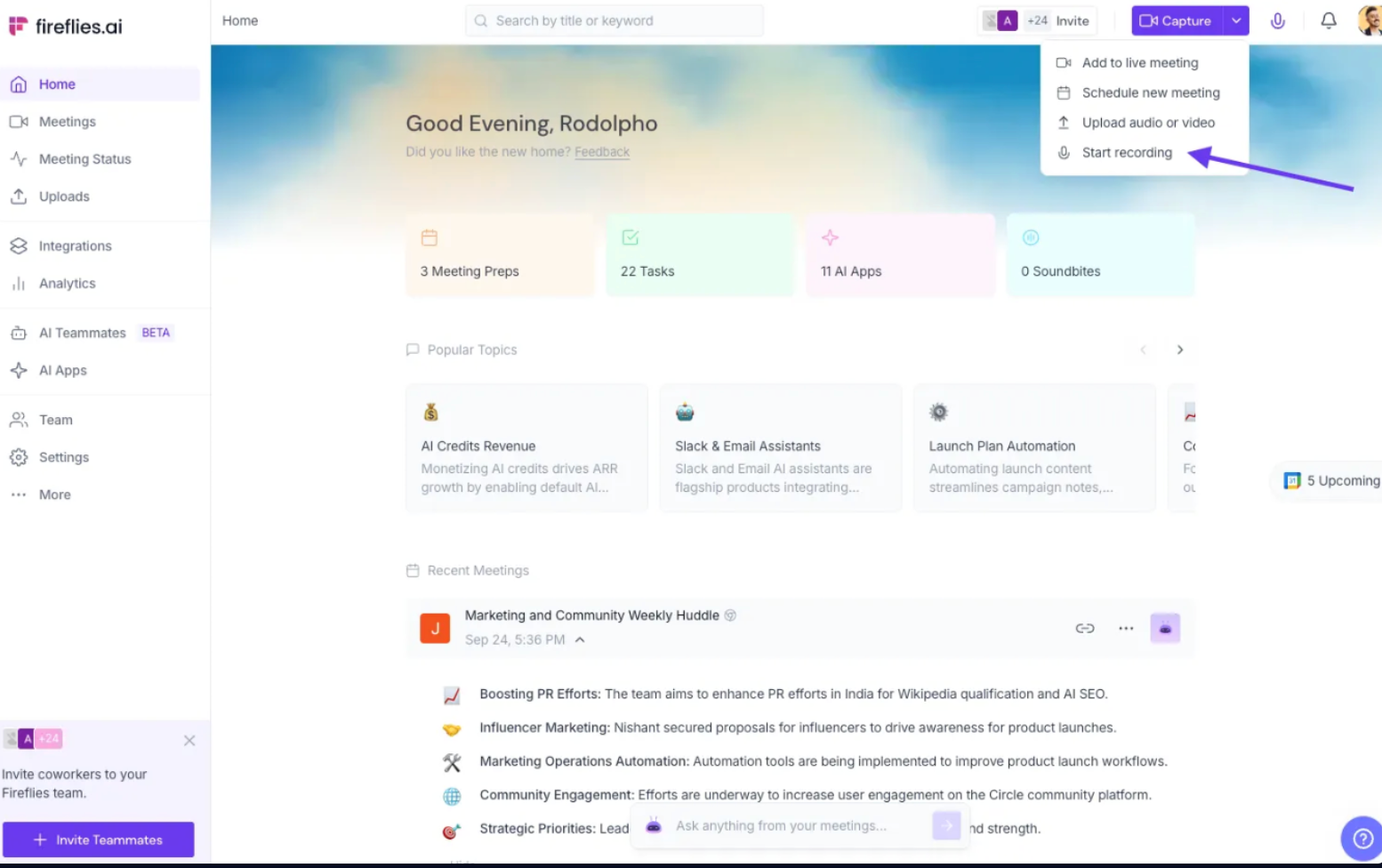

Best for: Teams that want a Circleback alternative built to scale past a handful of users.
Fireflies is the #1 AI Assistant for meetings, email, Slack, CRM, and work, built for teams that need more than a simple transcript. It records meetings on Zoom, Google Meet, and Microsoft Teams, a workflow also covered in 9 best AI note takers for Zoom, then hands you a transcript, a summary, and action items as the call ends. AskFred, its built-in AI assistant, can answer questions across meetings, Slack, email, and CRM data. More than 200 AI Skills also automate post-meeting tasks, while video recording comes with every plan.
Fireflies supports more than 100 languages, reports 99% English transcription accuracy and 95% accuracy across other languages, and connects with more than 100 integrations. More than 20 million people across 1 million organizations use the platform, including 75% of the Fortune 500. Fireflies also holds SOC 2 Type II certification and GDPR compliance on all plans, with HIPAA compliance available on Enterprise through a BAA and Private Storage. Sales teams lean on AI notetakers for sales teams automation, using Deal Intelligence and Autofill CRM after each call, making Fireflies a strong option for teams comparing Circleback alternatives and looking for the best AI notetaker with broader automation.
Live Assist helps you spot important insights during the conversation, while Voice Agents can join meetings and capture the discussion automatically for a hands-free workflow.
The Free Forever plan costs $0 and includes 3 AI summaries a month, up to 800 minutes of total storage per seat, action items, and core integrations.
Pricing:
- Free Forever: $0. Includes 3 AI summaries a month, up to 800 minutes of total storage per seat, action items, and core integrations.
- Pro: $10/seat/month billed annually or $18/seat/month month-to-month. Includes unlimited transcription and storage, Personal Assistant, AI Skills, Voice Agents, and 20 AI credits.
- Business: $19/seat/month billed annually or $29/seat/month month-to-month. Adds multi-language mode, team analytics, user groups, and 30 AI credits.
- Enterprise: $39/seat/month billed annually. Adds HIPAA-BAA, SSO, user groups, a rules engine, and dedicated support.
Fireflies.ai does not use customer data to train any AI models. We impose a zero-data retention policy for meeting content with our AI vendors.
Did You Know? 75% of professionals now use an AI notetaker in their work meetings, roughly double the adoption rate from 2023, according to Laxis's 2026 industry report. |
2. Fathom, Best Free Tier

Best for: Individuals who want unlimited recording without a credit card on day one.
Fathom's free plan includes unlimited recording and transcription, plus AI summaries. The free tier limits advanced AI summaries to five calls per month, which often comes up in comparisons of Fathom AI notetaker and other alternatives. See our Fireflies vs Fathom comparison for a closer look.
Once you pass five AI-summarized calls in a month for free, what's left is a plain transcript until you upgrade.
Pricing:
- Free: $0/user/month. Includes unlimited recordings and transcriptions, bot-free or bot-based capture, AI summaries, and call search.
- Premium: $16/user/month billed annually or $20/user/month month-to-month. Adds advanced summaries, a conversational AI assistant, and custom meeting bots.
- Team: $15/user/month billed annually or $19/user/month month-to-month, with a two-user minimum. Adds global search, shared folders, and comments.
- Business: $25/user/month billed annually or $34/user/month month-to-month, with a two-user minimum. Adds CRM syncing, Deal View insights, and advanced summaries.
- Enterprise: $35/user/month, billed annually only, with a 2-user minimum. Adds Launch Assist onboarding, organization-wide security controls, SSO and SCIM provisioning, custom data retention, and a dedicated success manager with priority support.
3. tl;dv, Best for Free Video and Clips
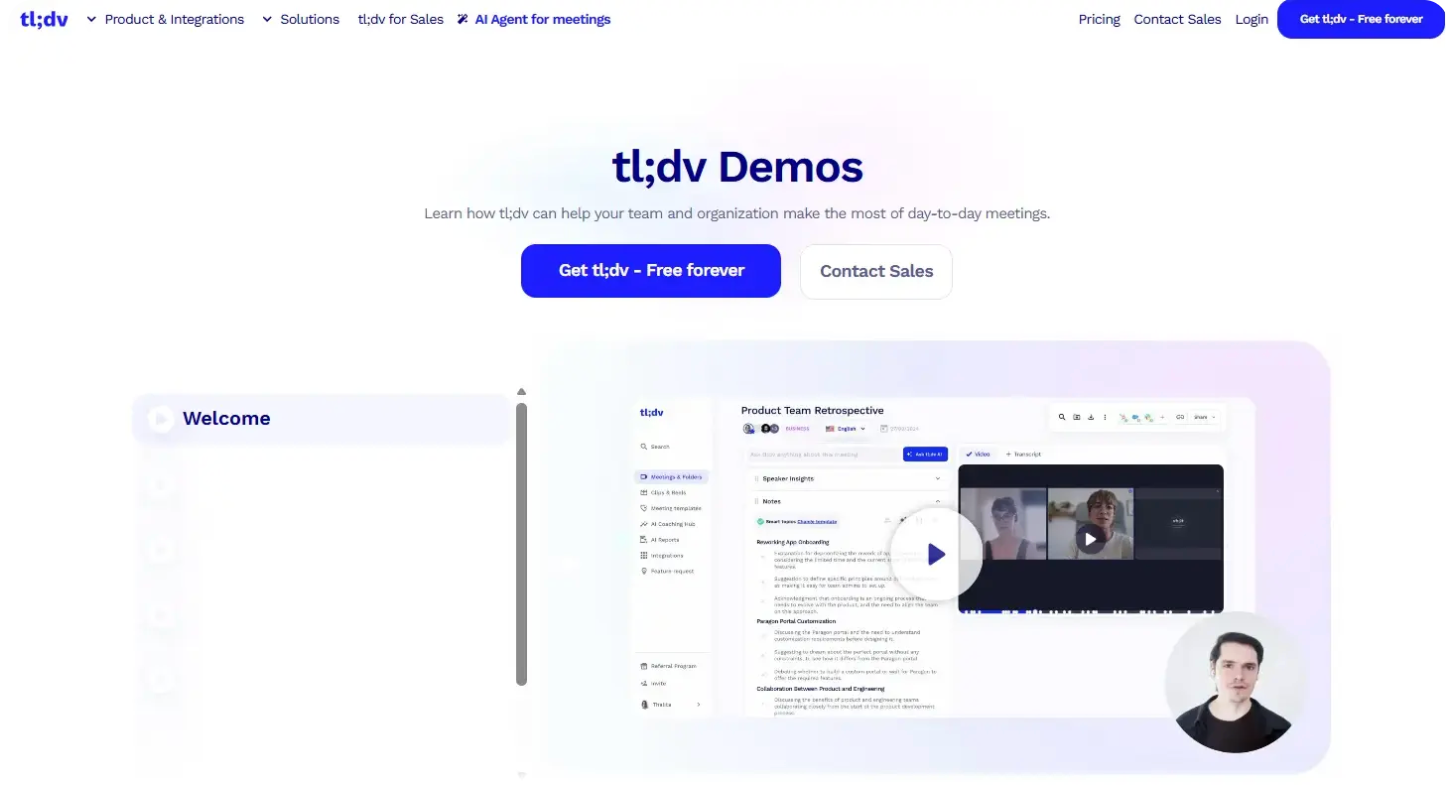

Image Source
Best for: Teams that want free video recording and clip sharing without a Business tier first.
tl;dv's free plan includes unlimited recording and video, a feature most AI note takers for videos hold back for paid users. You can clip and share specific moments from a call, which sales and success teams use for internal coaching. The free plan includes Slack, email, calendar, and mobile apps, plus global transcript search. Native CRM integrations only unlock on Business, and tl;dv has no native support for Webex or smaller conferencing tools.
Pricing:
- Free: $0. Includes unlimited recordings and transcription in 30+ languages, 10 AI meeting notes, mobile apps, Slack, email and calendar integrations, and global transcript search.
- Pro: $18/user/month billed annually or $29/user/month month-to-month. Adds unlimited AI meeting notes, custom summary templates, action item assignment, follow-up email drafting, 5,000+ integrations, MCP server, API, and webhooks.
- Business: $59/user/month billed annually or $98/user/month month-to-month. Adds unlimited multi-meeting AI insights, scheduled AI reports, playbook monitoring, AI objection handling, team-wide automations, and coaching.
- Enterprise: Custom pricing. Includes private AI hosting, custom SSO, SCIM, organization activity logs, and a dedicated account manager.
4. Otter, Best for Real-Time Collaboration

Best for: Teams that want to edit and comment on transcripts together during a meeting.
Otter lets multiple people highlight, comment on, and clean up a transcript in real time. The setup works especially well for classrooms and recurring internal meetings. Sales teams may find Circleback a stronger fit if they need broader language coverage or bot-free meeting capture.
If you're comparing Circleback vs Otter, those differences can help narrow the choice. They also explain why searches for Otter AI alternatives and Fireflies vs Otter remain common. You can also migrate transcripts from Otter to Fireflies when you need more capacity.
Otter also faces an ongoing consolidated class action, In re Otter.AI Privacy Litigation, alleging its bot records meetings without every participant's consent, with four suits filed starting August 2025.
Pricing:
- Basic: Free. Includes AI meeting summaries, chat across meetings, live transcription, speaker identification, mobile apps, and major integrations, with 300 transcription minutes/month.
- Pro: $8.33/user/month billed annually or $16.99/user/month month-to-month. Adds advanced AI workflows, speaker tagging, and Salesforce, HubSpot, and Zapier integrations.
- Business: $19.99/user/month billed annually or $30/user/month month-to-month. Includes unlimited meetings and recordings, custom AI workflows, and unlimited file imports.
- Enterprise: Custom pricing. Includes SSO, SCIM, security controls, domain capture, HIPAA support, and custom integrations.
5. Granola, Best for Bot-Free Personal Notes

Best for: Individuals who prefer typing shorthand during a call and letting AI turn those notes into a polished summary afterward.
Granola captures system audio directly from the computer. You type notes in your own words while it transcribes in the background, then merges the two into a summary once the call ends. Circleback vs Granola comes down to automation depth against note-taking simplicity, and Granola leans toward the latter, as the Granola vs Fireflies comparison lays out.
For a wider shortlist, the Granola alternatives guide covers other tools built around AI-assisted meeting notes. Granola keeps coaching, analytics, and CRM automation lighter than Circleback and Fireflies.
Pricing:
- Basic: $0/user/month. Includes AI meeting notes, limited meeting history, AI chat within and across meetings, shared folders, customized templates, and multi-language support.
- Business: $14/user/month. Includes unlimited meeting notes and history, advanced AI thinking models, integrations with Attio, Notion, Slack, HubSpot, Affinity, and Zapier, centralized billing, and API access.
- Enterprise: $35/user/month. Includes enterprise-grade security and admin controls, SSO, priority support and usage analytics, organization-wide auto-deletion periods and team-wide opt-out of model training.
6. Bluedot, Best Bot-Free for In-Person

Best for: Teams that need bot-free capture across both video calls and in-person conversations.
Bluedot records through a browser extension or desktop app, with no bot joining your calls, and its mobile app extends that same capture to in-person meetings and interviews. Custom templates cover scenarios like HR interviews and sales discovery calls, built around frameworks like MEDDIC.
Its free plan is closer to a trial than an ongoing tier: five meetings for the life of the account, capped at an hour each. Most teams move to Basic within a week or two of real use.
Pricing:
- Free: $0/user/month. Includes five meetings for the lifetime of the account, Chrome extension, desktop and mobile apps, and Slack, Notion, Zapier, and Make integrations.
- Basic: $14/user/month billed annually or $18/user/month billed monthly. Includes unlimited audio-only meetings, unlimited storage, one-hour maximum recording length, webhook access, and MCP integration.
- Pro: $20/user/month billed annually or $25/user/month billed monthly. Includes everything in Basic, plus unlimited video meetings, unlimited recording duration, custom note templates, and Zoom and Google Drive imports.
- Business: $32/user/month billed annually or $39/user/month billed monthly. Includes everything in Pro, plus CRM and ATS integrations, advanced admin controls, SSO and SCIM, custom data retention, organization-wide MCP and webhooks, and unlimited audio/video imports.
Pro Tip: Test bot-free capture during a real video call before you commit, not from a marketing page. Check if the desktop app records video or only audio. Some bot-free tools quietly need the bot back the moment video matters. |
How to Choose a Circleback Alternative
Choosing between Circleback alternatives comes down to three questions, not a long feature checklist.
Start with the free plan. Check what remains available after the trial ends. Several automated meeting notes tools and meeting transcription software options advertise generous free tiers, yet those limits can tighten after the first few calls.
Next, check platform and in-person coverage. A tool built around Zoom can become a poor fit when a team adds Webex calls or in-person interviews. Teams comparing Circleback alternatives should match each platform's capture options to the meetings they actually run.
Finally, weigh integrations and compliance together. The best AI notetaker for a five-person sales team can look very different from a solution for a healthcare practice with HIPAA requirements. The best AI tools for businesses in 2026 offer a broader view of enterprise use cases, while Fireflies vs Zoom AI Companion and Fireflies vs Read.ai offer closer comparisons.
Pro Tip: Export your existing Circleback transcripts and action items before you cancel anything. Losing meeting history is the single most common regret people report after switching note-taking tools. |
Finding the Circleback Alternative That Fits Your Team
Circleback's new free plan gives teams more room to work, but the 30-day history window and gated automations still limit the free tier. The Circleback alternatives above offer stronger options across different needs, including scale, free video, real-time collaboration, and bot-free workflows.
Fireflies remains the best AI notetaker for teams planning to grow. Its free plan, 100+ integrations, and AI Skills extend beyond basic AI meeting notes, helping teams turn conversations into follow-up work after the transcript ends.
Try Fireflies free on Zoom, Google Meet, and Teams. Unlimited transcription, no trial clock, no credit card. Try Fireflies for Free. |
Frequently Asked Questions About Circleback Alternatives
What is the best alternative to Circleback?
Fireflies is the best Circleback alternative for most teams, combining a genuine free plan, broad integration coverage, and AskFred for querying meetings, Slack, email, and CRM data in one place. Fathom and tl;dv suit individuals who prioritize free video recording and simpler workflows.
Is there a free Circleback alternative?
Yes, Fireflies, Fathom, tl;dv, Otter, and Granola all offer free plans, with each platform setting different limits on free usage. Fireflies has a generous free usage plan that gives you 3 AI summaries a month and 800 minutes of storage per seat, while Fathom and Otter cap free usage by call count or minutes per month.
Why do people switch away from Circleback?
People switch from Circleback mainly because its free plan limits history to 30 days, its automations require the $15 Pro tier, and its bot-free capture records audio without video. Recent Circleback review complaints repeatedly highlight these three limitations.
Does Circleback have a free plan?
Yes, Circleback has offered a free plan since August 31, 2026, with unlimited online and in-person meetings and AI notes. The Circleback pricing plan keeps meeting history for 30 days and limits automations until you upgrade to Pro or higher.
What is a good Circleback alternative for in-person meetings?
Bluedot and Fireflies both offer strong Circleback alternatives for in-person meetings through dedicated mobile apps. Bluedot focuses more on interviews and discovery calls, while Fireflies combines in-person capture with its broader online meeting features.
Which Circleback alternative is best for sales teams?
Fireflies is the strongest Circleback alternative for sales teams, with Deal Intelligence and Autofill CRM, two AI Skills built to update CRM fields and flag deal risk after calls. For teams comparing Circleback vs Otter, neither platform targets revenue teams as directly as Fireflies and Fathom.
Do any Circleback alternatives work without a bot?
Yes, Granola and Bluedot offer bot-free Circleback alternatives that capture meetings through system audio or a browser extension. Fireflies and Fathom use meeting bots for online calls, while Fireflies also supports in-person capture through its mobile app.

Shivani Bohare is a freelance B2B SaaS content writer and editor with 7 years of experience across engineering, sales and marketing. Her writing spans AI and productivity tools, conversational AI and voice tech, sales and marketing tech, and fintech.