

The iPad is arguably the best note-taking device ever made. A large touchscreen, Apple Pencil support, and thousands of apps to choose from (it has everything). Except for clarity on which app to actually use. The right note-taking app depends entirely on what you're doing with it. A student annotating research papers needs something completely different from a sales rep who wants meetings captured automatically.
This guide sorts the best iPad note-taking apps for iPad by what you actually need: handwriting, PDF annotation, free everyday notes, knowledge management, focused writing, brainstorming, and meeting capture. Find your use case, find your iPad app.
Whether you're picking up an Apple Pencil for the first time or replacing an iPad notes app that's stopped working for you, one of these 11 picks will fit.
Quick Comparison Table: Best Note-Taking Apps for iPad by Use Case
Not sure which of the best note-taking apps for iPad fits your workflow? Here's a quick overview of all 11 picks sorted by use case.
| Use case | Best pick | Free plan | Starting price | Apple Pencil |
| Handwriting | GoodNotes or Notability | Yes (both) | $7.99/month (Notability) | Required |
| PDF annotation and study | LiquidText or MarginNote 4 | Yes (both) | $4.99/month (LiquidText LIVE) | Recommended |
| Free everyday notes | Apple Notes | Yes | Free | Optional |
| Free visual brainstorming | Freeform | Yes | Free | Optional |
| Knowledge management | Notion or Craft | Yes (both) | $10/month (Craft) | Optional |
| Distraction-free writing | Bear | Yes | $2.99/month | Optional |
| Visual brainstorming | Milanote | Yes | $12.50/month | Recommended |
| Meeting notes | Fireflies | Yes | $18/seat/month | Not needed |
Best Handwriting Apps for iPad: GoodNotes and Notability
If you write on your iPad with an Apple Pencil, these two apps come up in every conversation. GoodNotes wins on AI features and template depth. Notability wins on audio-sync and simplicity. Both have free tiers worth trying before you commit.
GoodNotes
Best for: Students and professionals looking for the best note-taking app for iPad Pro and iPad with full AI study tools.
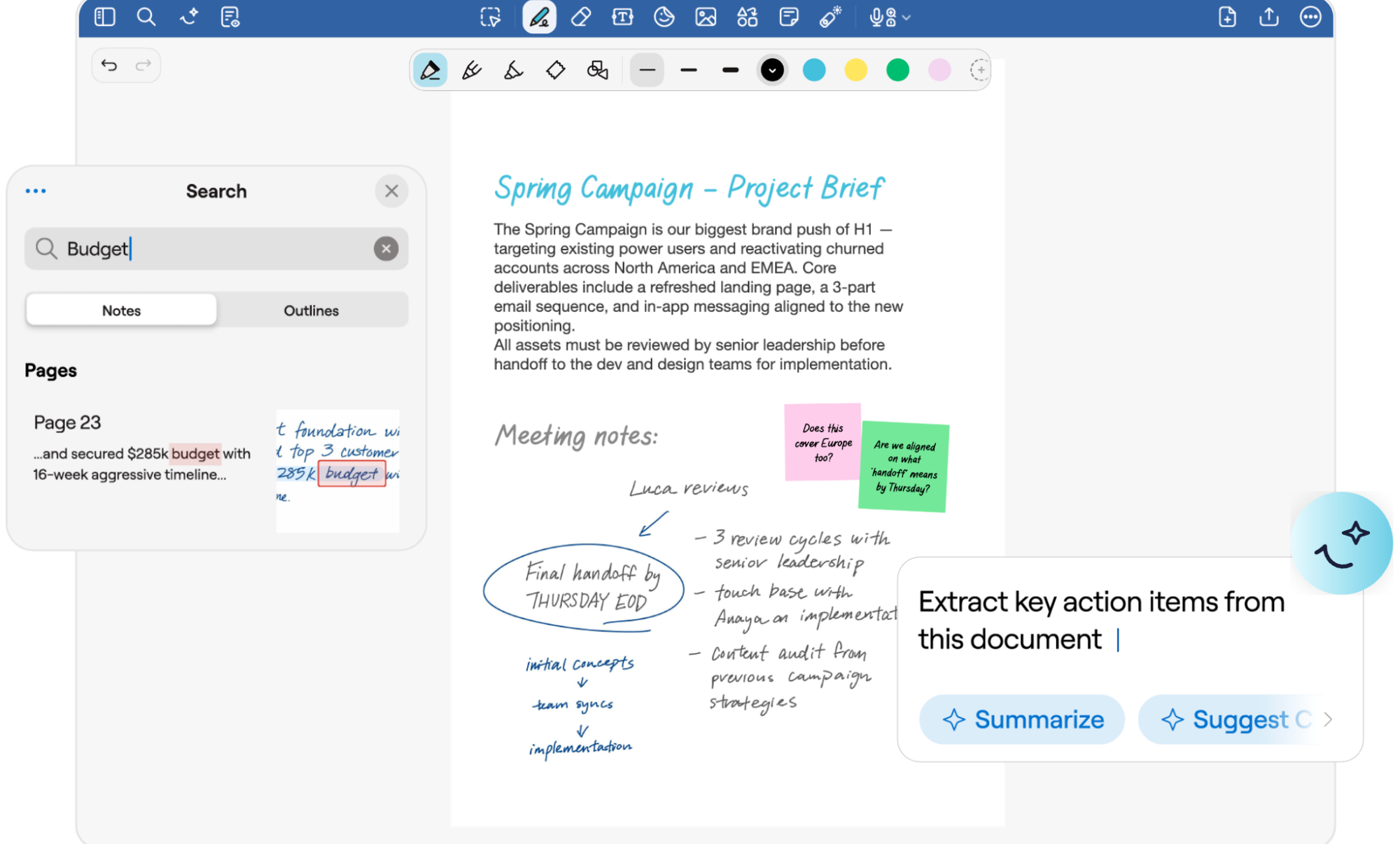
GoodNotes is a digital notebook built around the Apple Pencil experience on iPad. You can write, type, sketch, and annotate PDFs on the same page without switching modes. A large template library, AI summarization, and cross-device sync make it one of the most complete handwriting apps available in 2026.
Standout features:
- Math AI recognizes handwritten equations and solves them inline
- Study Sets convert your notes into flashcards using spaced repetition
- Audio recording synced to notes with full transcription support
- Annotate PDFs without friction, then search annotations instantly
Pricing:
- Free: $0, includes up to 3 notebooks, basic note-taking tools, and live collaboration sharing
- Essential: $11.99/year, unlocks unlimited notebooks, unlimited audio recording, limited AI capabilities, and Google Calendar integration
- Pro: $35.99/year, adds Meeting AI, real-time collaboration, private link sharing, and cross-platform sync on top of everything in Essential
Notability
Best for: Students who record lectures while taking notes and want audio synced to their handwriting on iPad.
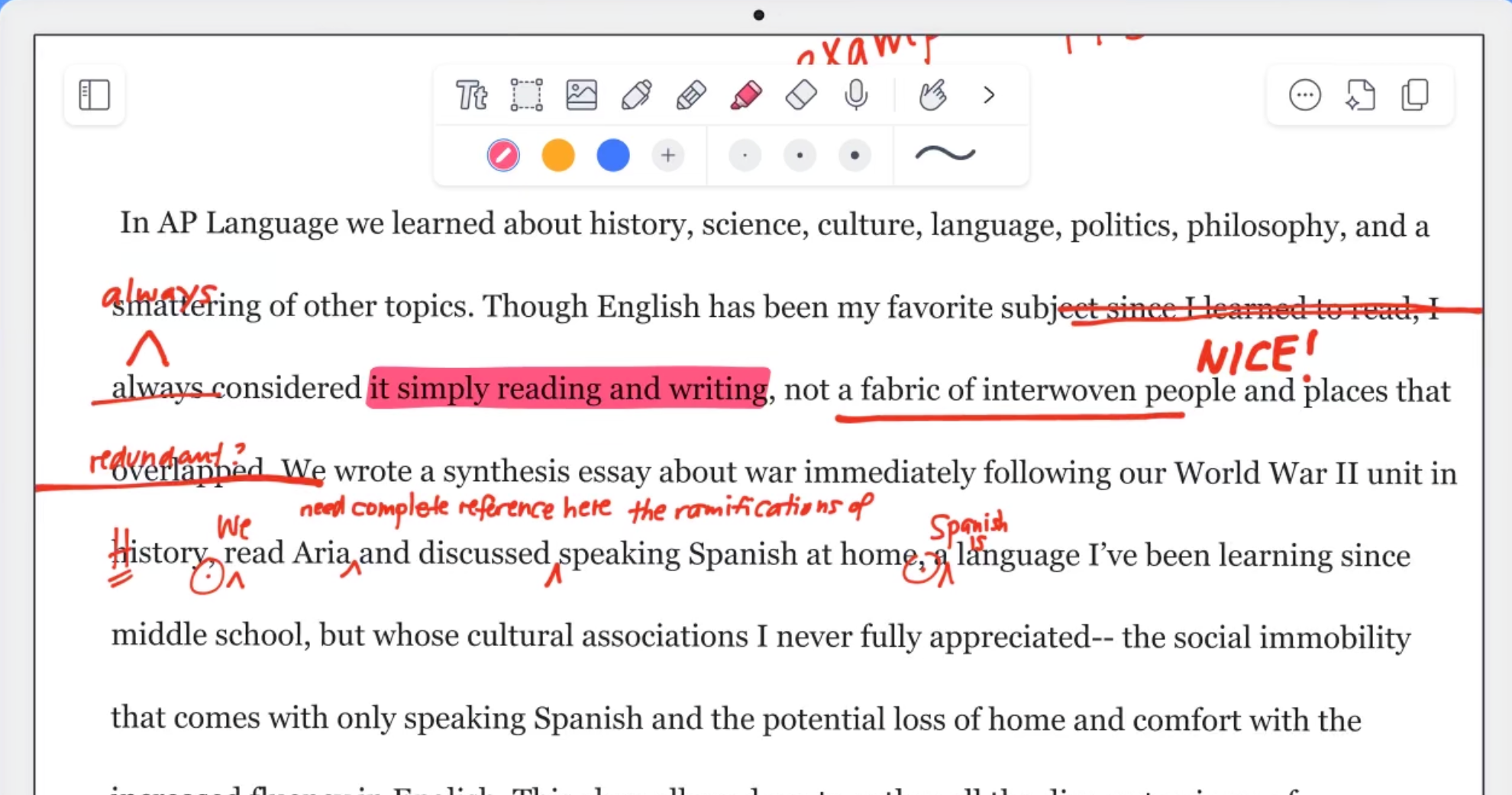
Notability is one of the most popular note-taking apps for iPad, known for its audio-sync feature that links recordings to your handwriting in real time. Tap any word in your notes and it jumps to the exact moment in the audio when you wrote it. It keeps the interface simple while covering handwriting, PDF annotation, and AI study tools in one place.
Standout features:
- Tap any word in your notes to jump to that exact moment in the audio recording
- Live Smart Notes generate an instant AI summary as you write, not after
- Handwriting search works across notes, PDFs, and audio transcripts in one query
- One-tap converts notes into quizzes and flashcards tailored to your content
Pricing:
Individual plans:
- Starter: Free, covers unlimited note editing (web only), all editing tools, and access to 20,000+ templates
- Plus: $7.99/month, adds up to 100 YouTube link-to-note conversions, 400 AI quizzes and flashcards per month, audio recording and transcription, and instant handwriting search
- Pro: $19.99/month, upgrades everything to unlimited, including YouTube conversions, quizzes and flashcards, live audio transcriptions, and adds AI chat with your notes
Business plans start at $6/user/month with a 30-day free trial.
GoodNotes vs. Notability: Which one should you pick?
If you want to take iPad notes with Apple Pencil, GoodNotes and Notability come up in every conversation. GoodNotes has pulled ahead on AI features in 2026, particularly for students who want math solving, quiz generation, and note summarization built in. Notability still holds the edge for anyone who records lectures or meetings while writing. Its tap-to-moment audio sync is something GoodNotes hasn't matched. If price is a factor, Notability's free tier lets you actually take notes; GoodNotes caps you at three notebooks.
Also Read: 5 Must-Have Mobile Transcription Apps
Best iPad Apps for PDF Annotation and Study: LiquidText and MarginNote 4
LiquidText and MarginNote 4 both go well beyond standard PDF annotation, but they solve different problems. LiquidText is for synthesizing across multiple documents; MarginNote 4 is for reading one body of material until it sticks. Pick based on your workflow.
LiquidText
Best for: Researchers, lawyers, and students who want an iPad note app built for working across multiple documents and connecting ideas.
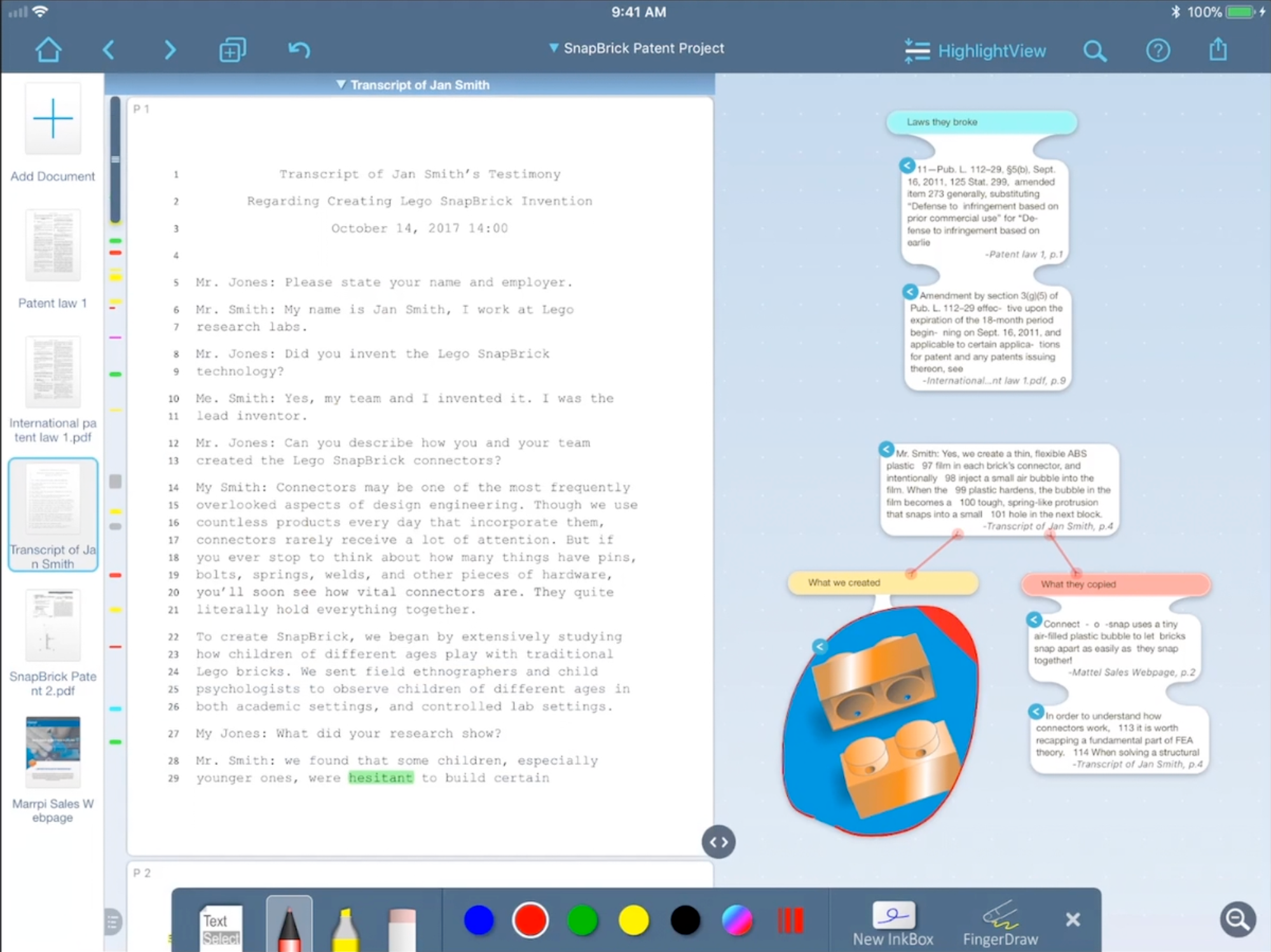
LiquidText was built from four years of academic research into how people actually read and take notes, making it one of the best note-taking apps for iPad Pro users who work across complex documents. Most PDF apps try to replicate paper; LiquidText moves past it by letting you pull excerpts out of documents and onto a live workspace where you can connect them, group them, and map how they relate across multiple sources.
It won Apple's Most Innovative iPad App of the Year for this reason, and it's used at institutions from Harvard Business School to Johns Hopkins. It comes in two versions: LiquidText Pro 2023, a one-time purchase local app for iPad, Mac, and Windows, and LiquidText LIVE, a cloud-based subscription with no purchase fees and all updates included. LIVE plans come with a one-week free trial.
Standout features:
- Pinch gesture collapses a document around your search text or highlights, letting you scroll through all instances with full surrounding context visible at once
- Draw a line between any two points in your documents, notes, or workspace to create a live Ink Link that updates as you move content around
- Import multiple PDFs, web pages, and Office documents into a single project and display up to three simultaneously on iPad
- Drag a circle or box around any section of a document to instantly excerpt it as a freeform note on your workspace
Pricing:
- Basic: Free, includes award-winning PDF reader, annotation, note-taking, and mind mapping tools on iPad
- Pro 2023: $79.99 one-time purchase, adds full inking support, multi-document projects, link anything to anything, OCR, and Zotero/Mendeley integration
- LIVE: $4.99/month, adds real-time sync across devices, 1GB cloud storage, and real-time collaboration with one colleague
- LIVE Unlimited: $7.99/month, upgrades to unlimited storage, enhanced search actions, document replacement, and priority support
Also Read: 7 Effective Types of Note-Taking & How to Choose for Your Learning Style
MarginNote 4
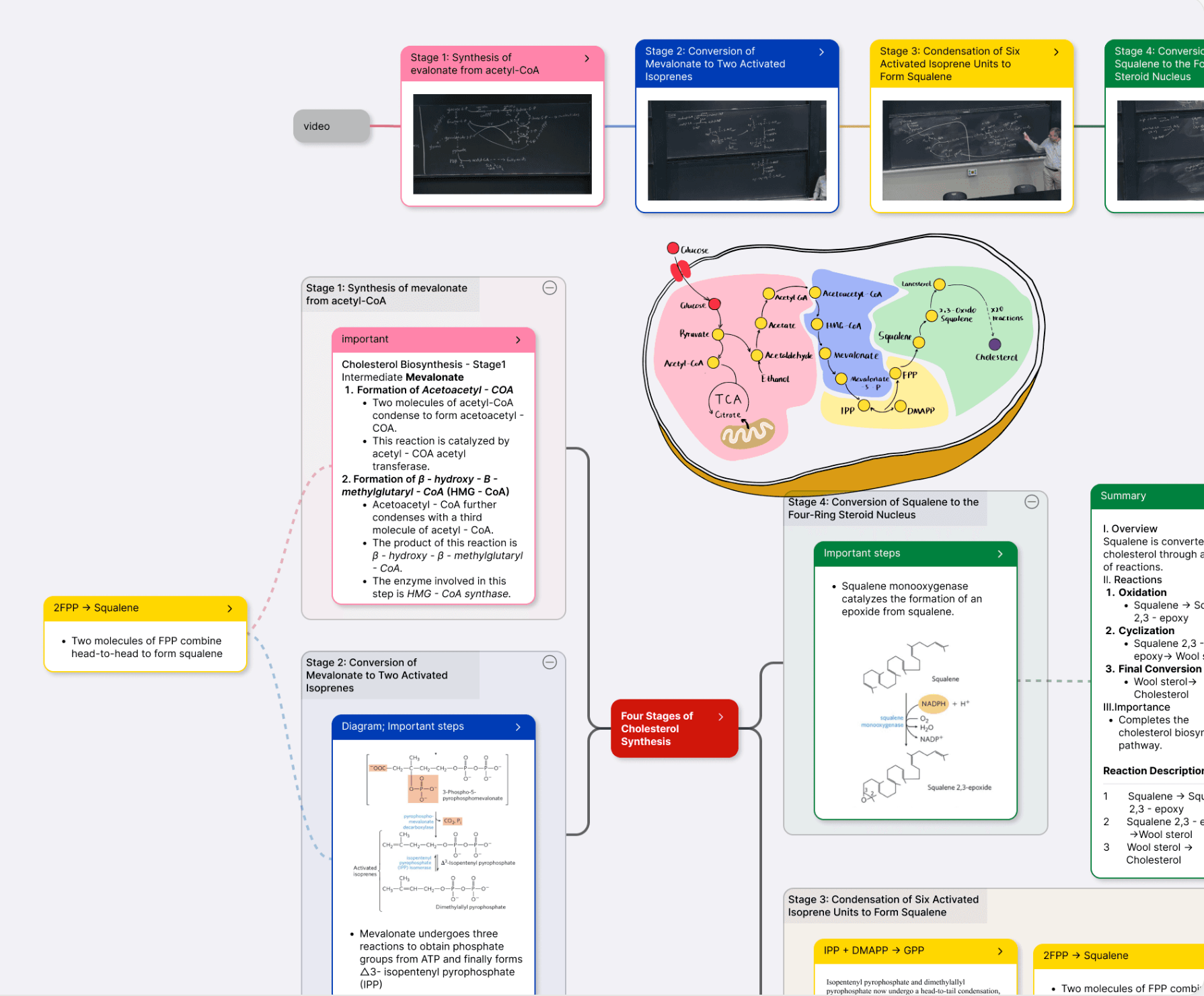
Best for: Medical, law, and graduate students who need to turn deep reading sessions into a structured, reviewable knowledge base on iPad.
MarginNote 4 has been in active development since 2013, and version 4 makes its core idea clearer than ever: a PDF highlight, a mind map node, and a flashcard are the same object seen from three angles. This is the Card Axis architecture, and it means you stop copying content between a PDF reader, a notes app, and a flashcard tool. When you highlight something in a document, it lands simultaneously in your mind map and your review deck.
It ships with focused workflows for the people who actually read this deeply: exam candidates working through prep books, law students building cross-case mind maps, researchers running literature reviews across dozens of PDFs, and language learners building vocabulary decks from native texts.
On iOS 26 and above, Recall Mode hints can run entirely on-device via Apple Intelligence, with no network calls and no AI credits used.
Standout features:
- Title Link automatically surfaces your past annotations when a familiar concept reappears in a new document you're reading
- Card Axis architecture syncs every highlight across three views simultaneously: document annotation, mind map node, and flashcard
- FSRS spaced repetition scheduler, the same algorithm Anki adopted as its default, schedules each card at its personally optimal review interval
- Immersive Mode folds the UI away and blurs excerpts with Gaussian blur until you tap to reveal, training active recall rather than passive re-reading
Pricing:
App Store plans (iPhone + iPad, with Mac on Max plans):
- Pro Lifetime: $12.99 one-time, covers standard reading, highlighting, annotation, mind map, Title Link, Extended Note, Immersive Mode, and Cards as the Axis on iPhone and iPad only. Includes a 14-day free trial, no auto-renewal
- Max Annual Subscription: $16.99/year, adds advanced OCR, AI OCR templates, AI translation, AI summary, AI Q&A, AI card generation, AI Book Breakdown, Database channel, and 500 AI credits per month while subscribed. Includes a 1-month free trial. Covers iPhone, iPad, and Mac
- Max Lifetime: $51.99 one-time, same features as Max Annual on all platforms, with 500 AI credits per month for the first 3 years
Also Read: 10 Best Note-Taking Apps For Chromebook [Free And Paid]
Best Free Note-Taking Apps for iPad: Apple Notes and Freeform
You don't need to pay for a solid note-taking app on iPad. Apple Notes handles everyday capture and organization. Freeform handles visual thinking and collaboration. Both are free, both sync via iCloud, and most iPad users end up using both.
Apple Notes
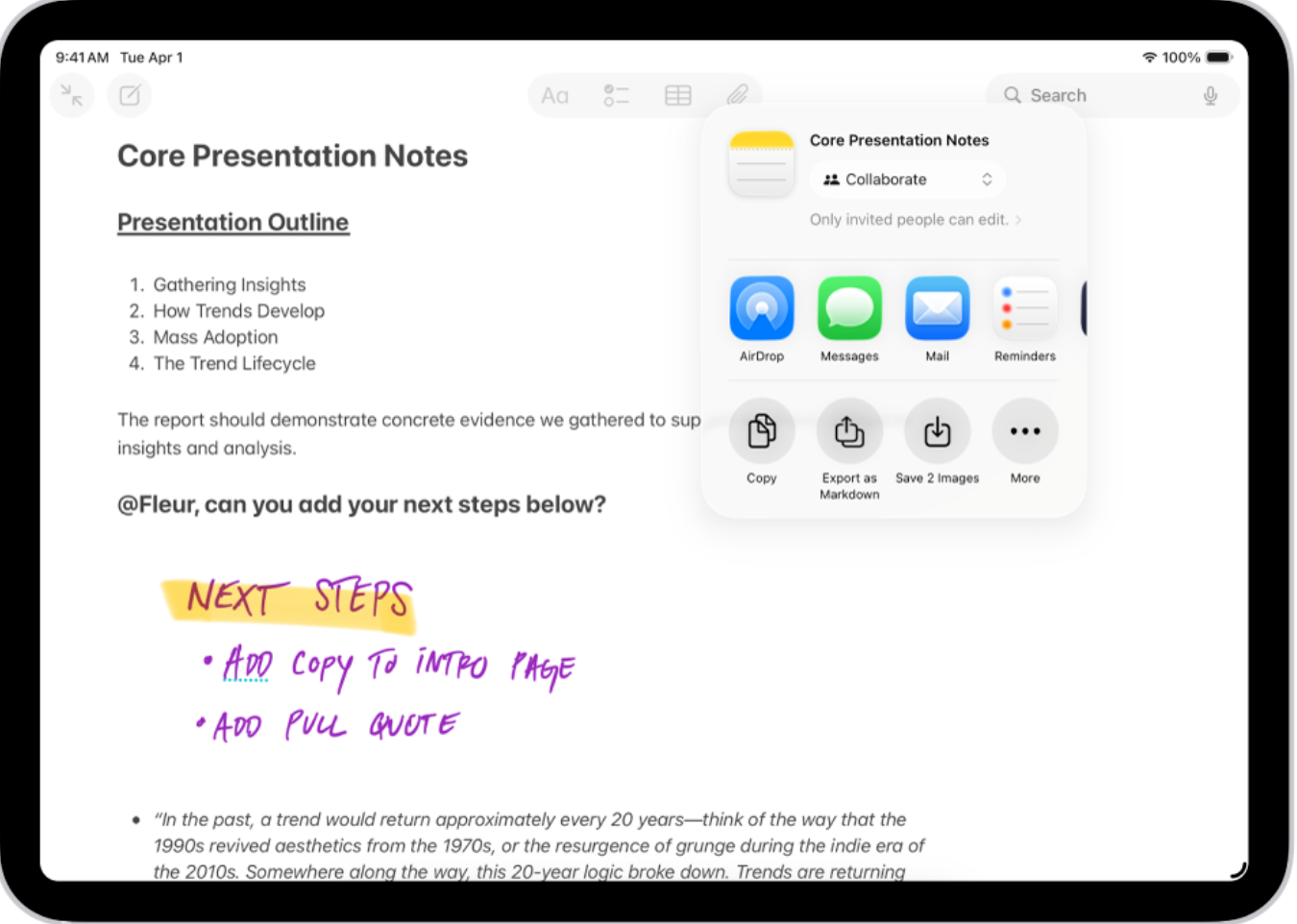
Best for: Anyone looking for free note-taking apps for iPad that work across every Apple device without any setup.
Apple Notes comes pre-installed on every iPad and is one of the best note-taking apps for iPad available for free. It handles typed notes, handwriting with Apple Pencil, sketches, scanned documents, audio recordings, and checklists all in one place. On Apple Intelligence-supported devices running iPadOS 18.1 and above, Writing Tools can proofread, rewrite, summarize, or change the tone of any selected text directly inside a note.
Standout features:
- Quick Note lets you swipe up from the bottom right corner with Apple Pencil to capture a thought from any app or screen without opening Notes
- Math Notes solves typed or handwritten equations inline, plots graphs from equations with x and y variables, and syncs with the Calculator app
- Search recognizes text inside images, scanned documents, and handwritten notes in a single query
- Audio recording with transcription built directly into notes, with Apple Intelligence summarization on supported devices
Pricing:
- Free, pre-installed on all Apple devices, syncs via iCloud with 5GB of free storage included. iCloud+ plans start at $0.99/month if you need more storage.
Also Read: The Ultimate Guide to Apple Notes: 10 Things You Didn't Know
Freeform
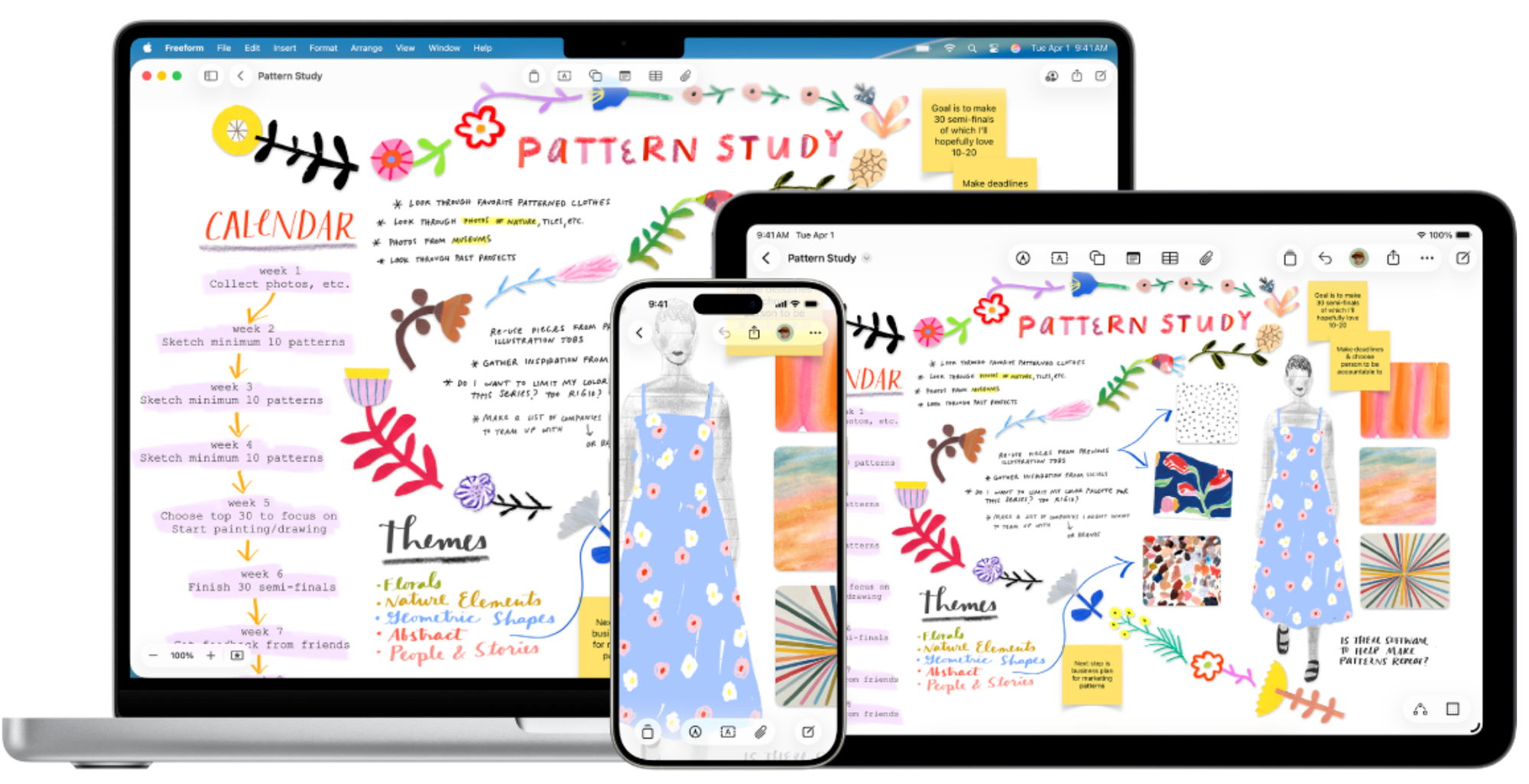
Best for: iPad users who want a free infinite canvas for brainstorming, mood boards, and visual thinking with Apple Pencil.
Freeform is one of the best free note-taking apps for iPad, a built-in whiteboard app available on every iPad, iPhone, and Mac, The canvas has no fixed page size or layout constraints, so you can drop in photos, videos, audio, PDFs, web links, sticky notes, and drawings wherever they make sense. It works well solo but is designed with collaboration in mind, supporting up to 100 people on the same board in real time via FaceTime or Messages.
Standout features:
- Infinite canvas accepts almost any file type including photos, video, audio, PDFs, and web links, without layout restrictions
- Over 700 shapes and alignment guides for building diagrams and visual frameworks directly on iPad
- Brainstorm with up to 100 collaborators on the same board simultaneously, with FaceTime and Messages built in
- Draw anywhere on the canvas with Apple Pencil or your finger, with adjustable brush styles, thickness, transparency, and color
Pricing:
- Free on iPad, iPhone, and Mac, syncs via iCloud. Apple Creator Studio subscription at $12.99/month unlocks advanced features like Auto Crop.
Best iPad Apps for Knowledge Management: Notion and Craft
For professionals, note-taking has shifted from capturing to building. A meeting note connects to a project. A thought links to a document. An idea becomes a task. Notion and Craft are the two apps on iPad that handle this kind of connected, compounding knowledge work well.
Notion
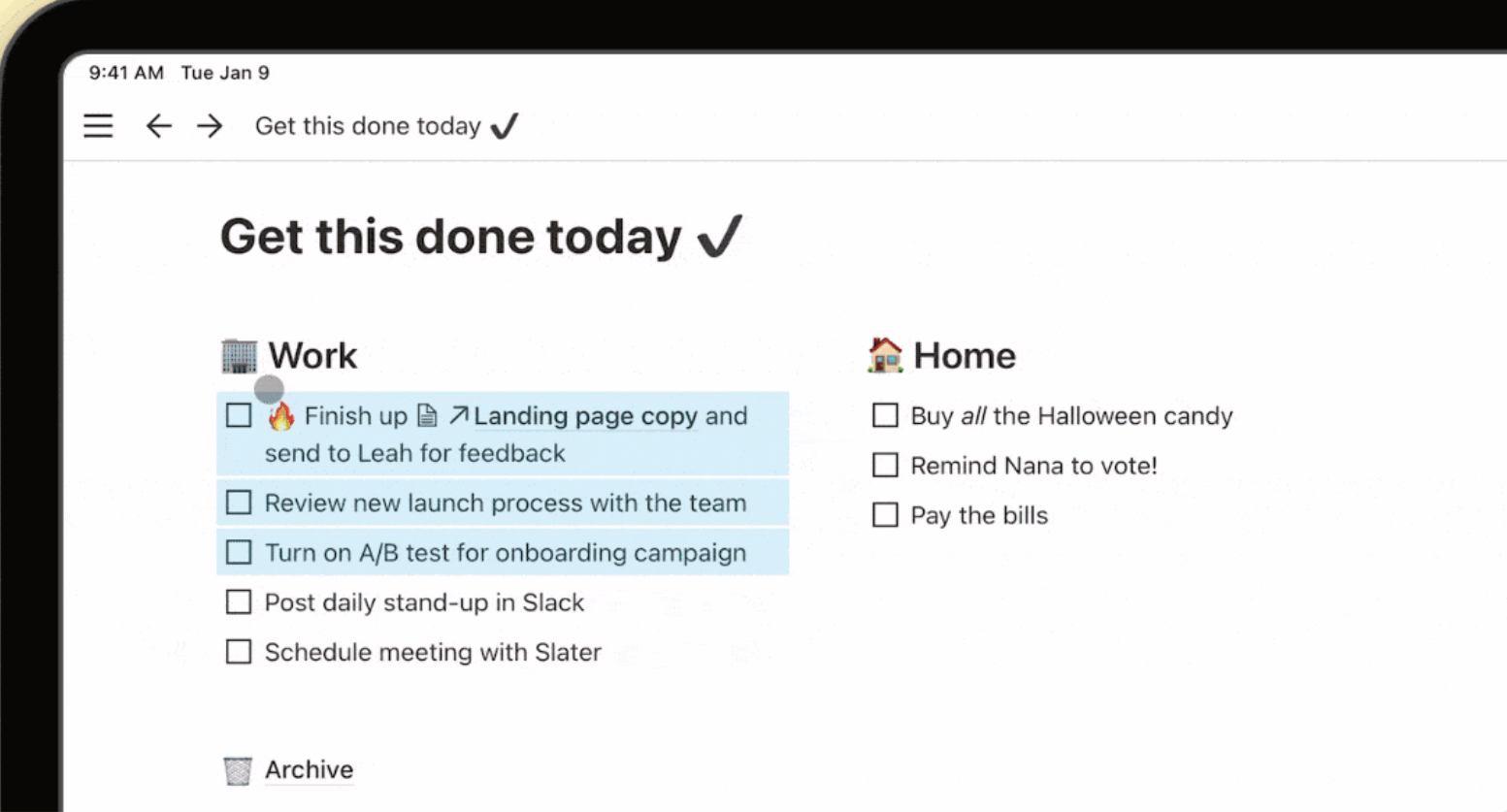
Best for: Students and professionals who want notes, tasks, projects, and databases in one connected workspace on iPad.
Notion is an all-in-one workspace and a natural Apple Notes alternative for anyone who needs databases and project management alongside their notes. Your notes, tasks, databases, and project management live in the same place.
On iPad it works best for daily upkeep: checking tasks, updating notes, and using Notion AI to summarize or brainstorm on the go. It syncs across your browser, Mac, Windows, and iOS with the same account.
Standout features:
- Databases with 50+ content types including tables, kanban boards, and the new Maps View for pinning locations to any database entry
- Notion AI searches, generates, analyzes, and chats across your entire workspace, answering questions about your own content in seconds
- Web Clipper saves articles, pages, and links directly to your Notion workspace from Safari on iPad
- Workflow manager lets you build custom priority labels, status tags, and automations to track exactly what matters
Pricing:
- Free: $0/month, covers unlimited notes and docs for individuals, basic forms, Notion Calendar, Notion Mail, 7-day page history, and up to 10 external guests
- Plus: $12/month per member, adds unlimited collaborative blocks, unlimited file uploads, unlimited charts, custom forms, custom sites, and 30-day page history
- Business: $24/month per member, adds Notion AI Meeting Notes, Notion Agent, SAML SSO, granular database permissions, private teamspaces, domain verification, and 90-day page history
- Enterprise: custom pricing, adds zero data retention with LLM providers, user provisioning via SCIM, advanced security controls, audit log, and a customer success manager
Craft
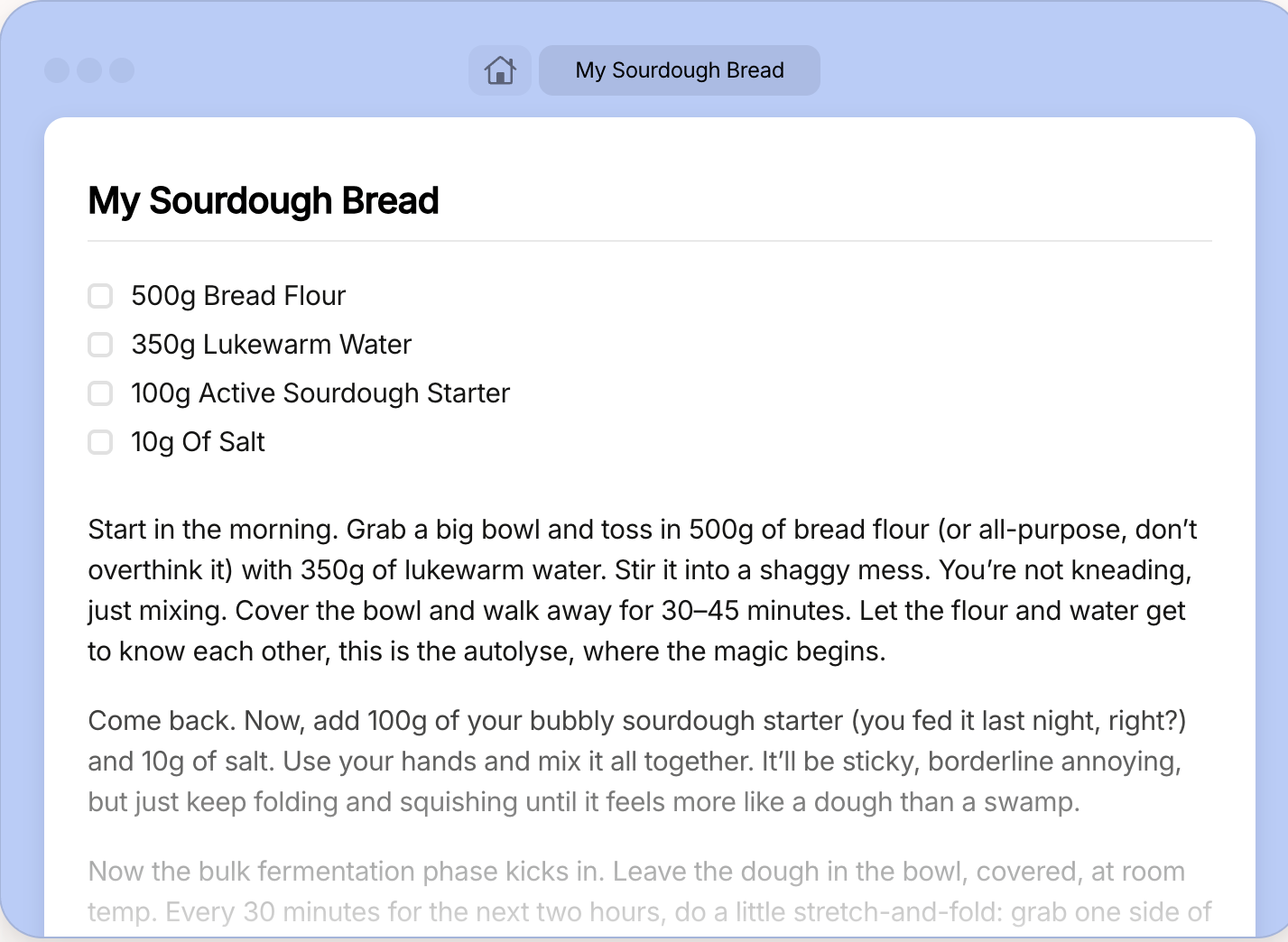
Best for: Writers, creators, and Apple users who want a beautifully designed workspace for notes, tasks, and documents that feels native on iPad.
Craft is a writing-first workspace that runs natively on iPad, iPhone, Mac, Windows, and Android. The iPad experience is one of the best of any notes app on this list, with native gestures, fast offline sync, and an interface that won the App Store Mac App of the Year award. It covers documents, tasks, a daily notes journal, a calendar view, and whiteboards in one place. The AI Assistant searches your entire knowledge base, rewrites and summarizes documents, and answers questions about your own content. MCP connections let you link Craft to AI models and other tools in your productivity stack, turning it into an organizational layer across your workflow.
Standout features:
- Daily Notes gives you a dedicated space for quick thoughts, tasks, and journaling with a calendar view to reflect on your week
- Whiteboards let you sketch ideas and map projects visually on a spacious canvas, alongside your written documents
- Collections work as structured databases for tracking and organizing rich data, sitting alongside folders and tags in the same workspace
- MCP and API connections link Craft to AI models and external productivity tools, letting you pull in tasks, events, and content from other apps
Pricing:
- Free: $0/month, full access with 1,500 blocks, 1GB storage, 7-day version history, and standard AI access
- Plus: $10/month, adds unlimited documents, 1TB storage, 30-day version history, and advanced AI assistant features
- Family: $15/month flat fee, covers up to 6 Plus accounts with shared spaces
- Team: $50/month flat fee, covers up to 10 Plus accounts with a shared collaboration space
Best iPad App for Distraction-Free Writing: Bear
If every notes app you've tried feels like it's asking you to manage it rather than just write, Bear is worth trying. It strips everything back to Markdown, tags, and a clean canvas.
Bear
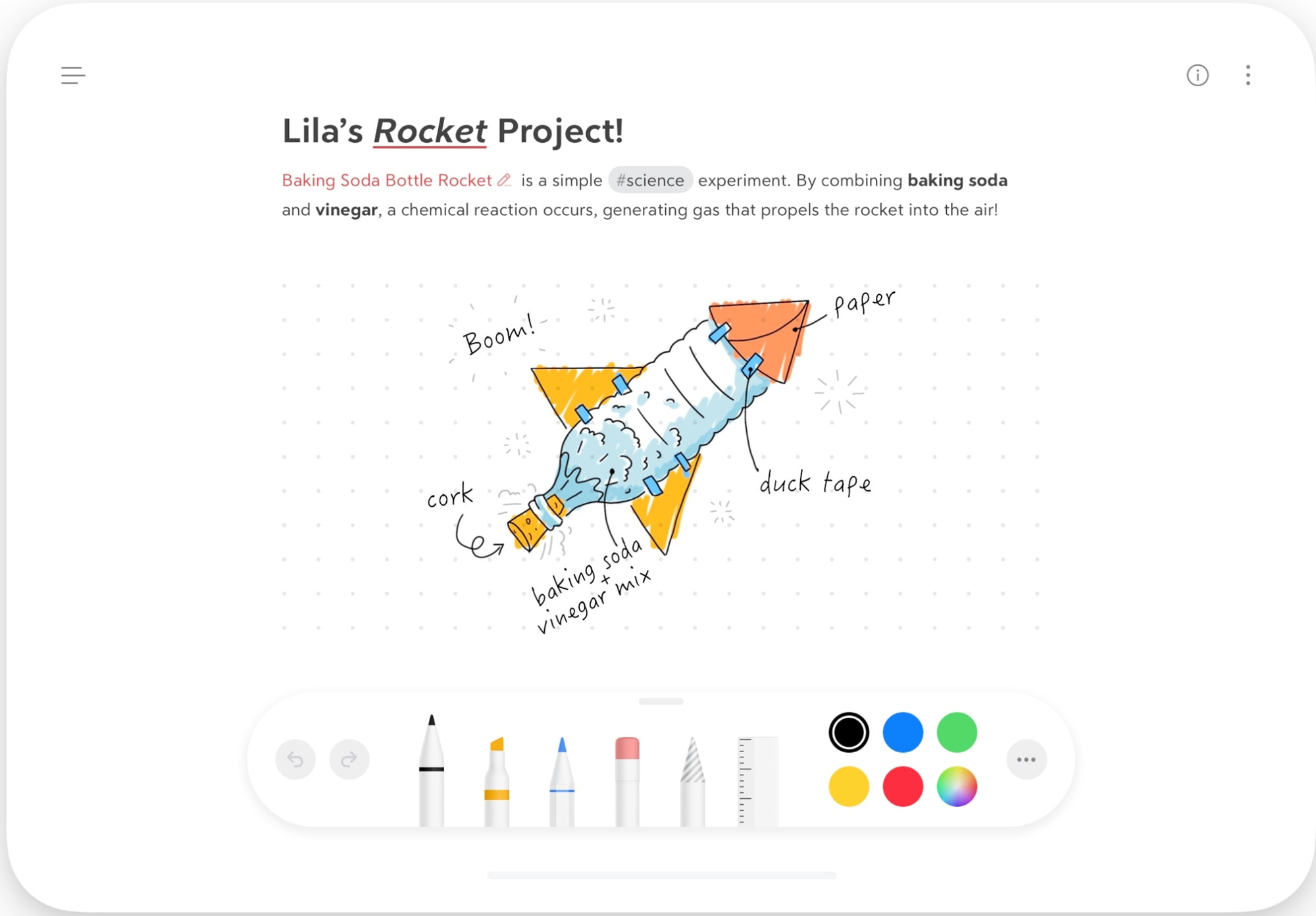
Best for: Writers who want a distraction-free iPad notes app that stays out of the way.
Bear is a Markdown notes app for iPhone, iPad, and Mac and the most popular Apple Notes alternative for writers who want more organizational depth. It has won the Apple Design Award and been named App of the Year. On iPad, the minimal interface keeps the full screen focused on your writing, with no sidebars or dashboards competing for space.
You write in Markdown, organize with flexible tags, and the app handles the rest. It works offline by default and syncs via iCloud on the Pro plan. You can sketch inline with your Apple Pencil or finger, and encrypt individual notes with Face ID for privacy.
Standout features:
- Tag-based organization with over 250 icons, replacing the need for nested folders entirely
- Outline view with section folding lets you focus on one part of a long note while hiding the rest
- OCR search finds text inside photos and PDFs across all your notes, not just file names
- Individual note encryption with Face ID, backed by Apple's Advanced Data Protection
Pricing:
- Free: covers local access, document scanning, and export to TXT and Markdown with 3 themes
- Bear Pro: $2.99/month, adds iCloud sync, OCR search inside PDFs and images, 28 themes, 15 app icons, and full export formats including PDF, HTML, DOCX, and ePub. Includes a 7-day free trial
Best iPad App for Visual Brainstorming: Milanote
If your ideas start as a mood board, a storyboard, or a loose collection of images and references rather than a typed note, this section is for you. Creative professionals across filmmaking, design, writing, and photography use visual canvases to think and the iPad is one of the best devices to do it on.
Milanote
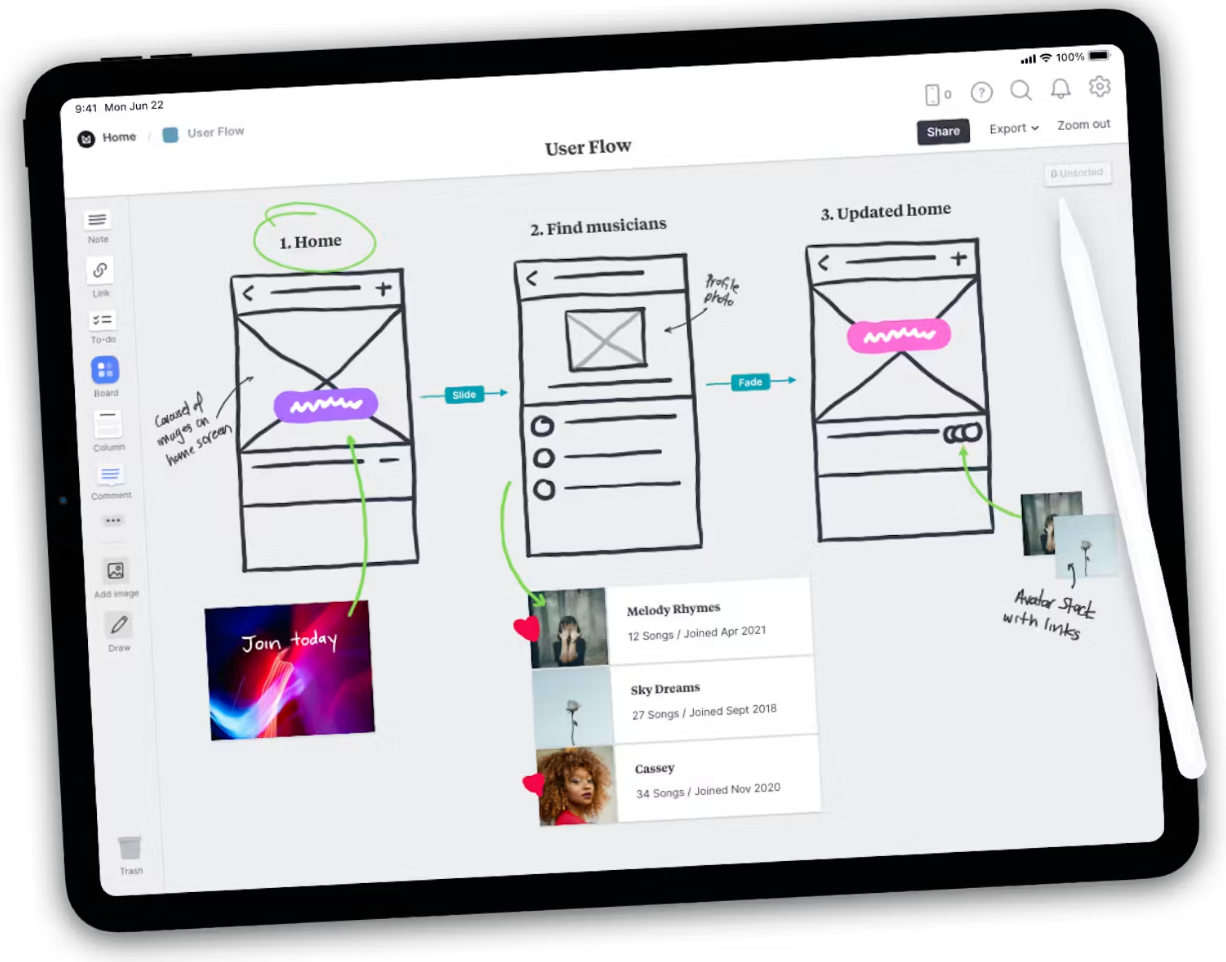
Best for: Designers, filmmakers, writers, and photographers who need a visual iPad note app for creative projects.
Milanote is an easy-to-use tool for organizing creative projects on iPad. The canvas has no fixed layout, so you can drag and drop notes, images, videos, links, and files wherever they make sense. You can sketch ideas directly with Apple Pencil, collect inspiration from any app, and invite collaborators to edit, comment, or view your boards in real time.
Used by creative teams at Netflix, Nike, Google, and Dropbox, it brings together notes, images, videos, links, and sketches on a flexible canvas you can organize any way you want.
Standout features:
- Sketch cards let you draw directly on your board with Apple Pencil to bring ideas to life alongside your other content
- Save images, video, and links from any app or website and organize them visually with a flexible drag and drop interface
- Boards nest inside boards, letting you build out full project structures with moodboards, storyboards, and research in one place
- Invite collaborators to edit, comment, or view boards in real time, with threaded comments keeping feedback in context
Pricing:
- Free: $0, no time limit, covers 100 notes, images or links and 10 file uploads with unlimited shared boards
- Personal: $12.50/month, covers unlimited notes, images, links and file uploads with unlimited shared boards
- Team: $49/month flat fee for up to 10 people, covers unlimited notes, images, links and file uploads with unlimited shared boards
Best iPad App for Meeting Notes: Fireflies
Every iPad app on this list requires you to type or draw. None of them attend your Zoom, Google Meet, or Teams call, transcribe what was said, and deliver structured notes when it's over. Fireflies is the only iPad meeting notes app here that captures the conversation itself.
Fireflies
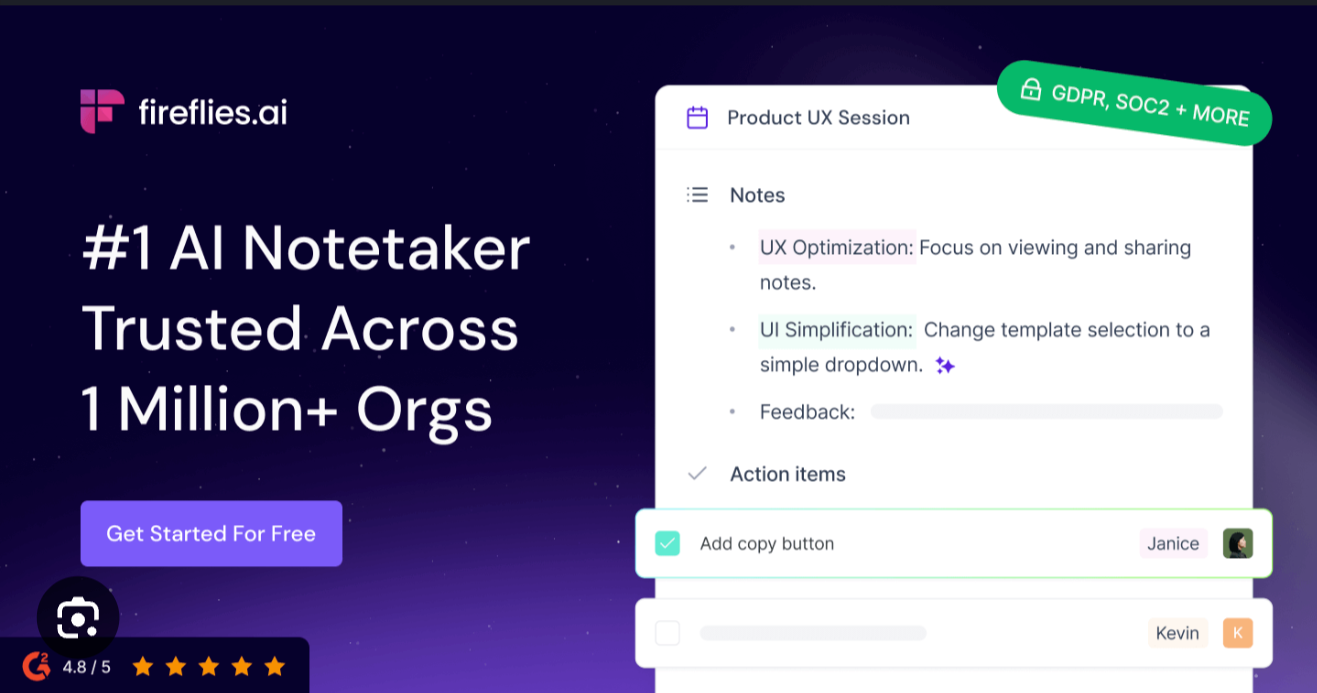
Best for: Professionals and students who want meetings automatically captured and turned into structured notes on an iPad.
Fireflies is the #1 AI assistant for meetings, email, Slack, CRM, and work. On iPad, you can use it in three ways: let the bot join your online calls on Zoom, Google Meet, Microsoft Teams, Webex, and all other major video conferencing platforms, transcribe everything automatically, record in-person meetings directly using your iPad's microphone, or upload an existing audio file and get a full meeting transcript in minutes.
However you capture it, Fireflies turns the recording into structured notes with a summary, action items, and key topics. Fireflies transcribes in 100+ languages at 99% accuracy in English and 95% in other languages.
You can connect the Email Connector to draft follow-ups from your meeting notes or use the Slack Connector to send summaries to channels and pull context from threads. With 100+ integrations, it fits into whatever stack you already use.
Standout features:
- Bot-free recording uses your iPad's microphone to capture in-person meetings, interviews, or voice notes without joining an online call
- Audio uploads let you import any existing recording from your iPad storage and get an instant transcript and summary
- Live Assist surfaces real-time notes and suggestions while a call is in progress, so you always know where the conversation stands
- AskFred searches across all your meetings, Slack, email, and CRM so you can ask questions about past conversations and get answers instantly
- AI Skills automate post-meeting workflows across sales, recruiting, and operations, running on every call or on a scheduled cadence
Pricing:
- Free: $0, includes AskFred, meeting search, real-time notes, transcription in 100+ languages, unlimited transcription, limited AI summaries, 400 minutes of storage per seat, and Chrome extension
- Pro: $18/seat/month, includes unlimited transcription and AI summaries, AI Skills, action items and Task Manager, transcript and summary downloads, 20 AI credits per month, and 8,000 minutes of storage per seat
- Business: $29/seat/month, includes everything in Pro plus conversational insights, Multi-language Mode, video recording, unlimited storage, and 30 AI credits per month
- Enterprise: $39/seat/month (annual only), includes everything in Business plus custom data retention, private storage, HIPAA compliance, and 50 AI credits per month
Also Read: How to Take Meeting Notes (with Templates and Examples)
Which iPad Note-Taking App Should You Pick?
The best note-taking app for iPad depends entirely on what you're doing with it. Here's a quick way to match yourself to the right pick:
- If you write on your iPad with an Apple Pencil and want the closest thing to paper, go with Notability or GoodNotes
- If you annotate PDFs and research papers across multiple sources, LiquidText or MarginNote 4 are the best iPad apps for that use case
- If you want a free note-taking app for iPad that's already built in, start with Apple Notes
- If you brainstorm visually or work on creative projects, try Milanote or Freeform
- If you're building a knowledge base and your notes need to connect to tasks and projects, go with Notion or Craft
- If you want the best distraction-free writing app for iPad, Bear is worth trying
- If you take meeting notes on iPad and want them captured automatically, Fireflies is the best iPad meeting notes app for the job, available free through the iOS app.
Frequently Asked Questions
What is the best note-taking app for iPad in 2026?
The best note-taking app for iPad depends on your use case. For handwriting with Apple Pencil, GoodNotes and Notability are the top picks. For everyday notes, Apple Notes is the best iPad notes app available for free. For meeting capture, Fireflies is the best iPad note-taking app that records and transcribes automatically.
What is the best free note-taking app for iPad?
The best free note-taking app for iPad is Apple Notes. It comes pre-installed, syncs across all your Apple devices via iCloud, supports handwriting with Apple Pencil, and has improved significantly with recent iPadOS updates. Freeform is the best free option if you need a visual brainstorming canvas.
Is GoodNotes or Notability better?
Both are excellent iPad note-taking apps, and the right pick depends on how you work. GoodNotes has the edge on AI features and template variety in 2026. Notability wins on audio-synced notes. You can tap any word in your notes and it jumps to that exact moment in the recording. If price is a factor, Notability's free tier lets you actually take notes; GoodNotes caps you at three notebooks.
What is the best note-taking app for iPad Pro?
The best note-taking apps for iPad Pro depend on your workflow. For handwriting, GoodNotes and Notability make the most of the Apple Pencil Pro's precision. For research and PDF work, LiquidText and MarginNote 4 take advantage of the larger screen. For meeting capture, Fireflies works the same across all iPad models including iPad Pro.
Can you take notes on iPad without Apple Pencil?
Yes, you can take notes on iPad without Apple Pencil. Most iPad notes apps work perfectly with just a keyboard or touchscreen, including Apple Notes, Notion, Craft, Bear, Milanote, and Fireflies. Apple Pencil is only essential if handwriting is your primary note-taking method.
What is the best handwriting app for iPad?
The best handwriting apps for iPad are GoodNotes and Notability. GoodNotes is stronger on AI features and template variety. Notability is better if you record audio while writing and want to sync the two together.
What is the best alternative to GoodNotes?
The best GoodNotes alternative for handwriting on iPad is Notability. It has a cleaner interface, audio-sync that GoodNotes doesn't match, and a more affordable free tier. If you need PDF annotation rather than handwriting, LiquidText or MarginNote 4 are strong Notability alternatives too.
Can AI take meeting notes on iPad?
Yes, AI can take meeting notes on an iPad. Fireflies is a dedicated iPad meeting notes app with a native iOS app. It joins your Zoom, Google Meet, or Microsoft Teams call automatically, transcribes the conversation in 100+ languages, and delivers a structured summary with action items when the call ends. You can also use it to record in-person meetings using your iPad's microphone.

![10 Best Voice Recorder Apps [Free & Paid]](https://storage.ghost.io/c/18/b5/18b50ec6-aaa0-4f89-82bd-97facf43831a/content/images/size/w1000/2023/11/Meeting-etiquette-rules-all-professionals-must-follow--32-.png)