7 Best AI Notetakers for Lawyers in 2026 (Compared for Confidentiality)
 Shivani Bohare19 min read

On this page
- What Lawyers Should Look for in an AI Notetaker
- Quick Comparison of AI Notetakers and Legal Transcription Software
- The 7 Best AI Notetakers for Lawyers
- 1. Fireflies
- 2. Otter
- 3. Read AI
- 4. Fathom
- 5. Microsoft Teams Premium and Microsoft 365 Copilot
- 6. Rev
- 7. Sonix
- How Lawyers Use AI Notetakers
- Client intake calls
- Case strategy and team meetings
- AI deposition summary and interview prep
- Co-counsel and expert calls
- Privilege, Consent, and Recording Laws
- Choose the Tool You Can Defend to a Client
- Frequently Asked Questions
- Can lawyers use AI notetakers?
- Do AI notetakers break attorney-client privilege?
- Is Otter.ai safe for lawyers?
- Can AI transcribe depositions?
- Do I need client consent to record a meeting with AI?
Many firms still keep intake notes on legal pads, and one misheard date during a client’s first call can shift a statute-of-limitations deadline. A recording could settle the question in seconds, yet every word on that call belongs to a client who expects confidentiality.
The best AI note taker for lawyers is Fireflies, the #1 AI Teammate for meetings, email, Slack, CRM, and work. Below, you'll see seven tools compared on data training, retention controls, storage and access, and plan gating for security features. Each check ties back to your duties under American Bar Association (ABA) Formal Opinion 512, issued in July 2024.
What Lawyers Should Look for in an AI Notetaker
Look for written answers on data training, retention, storage, access, transcription accuracy, recording notice, and plan gating. ABA Formal Opinion 512, issued in July 2024, ties those checks to your duties of competence, confidentiality, client communication, and supervision of AI vendors. It also tells you to read each tool's terms of use and privacy policy before you enter client information.
According to the ABA's litigation section, a boilerplate clause in an engagement letter does not establish informed consent for self-learning AI. Run each vendor through the seven checks below before you raise attorney-client privilege AI questions with your ethics counsel.
- Get the data training policy in writing, and confirm it binds the vendor's subprocessors too.
- Ask who controls retention, deletion, and auto-delete windows.
- Ask how the vendor encrypts recordings and where it stores transcripts.
- Review access controls, from single sign-on to who can open a shared recap.
- Test accuracy on a real call full of case and party names, since AI legal transcription often stumbles on proper nouns. Check for a custom vocabulary setting too.
- Check how the tool tells participants a meeting is being recorded.
- Note which security features require a higher plan.
Did You Know? Clio's 2025 Legal Trends Report found 79% of legal professionals use AI, yet only 40% use legal-specific AI tools, down from 58% in 2024. |
Also read: What Is AI Transcription? How It Works, Accuracy & Best Tools (2026)
Quick Comparison of AI Notetakers and Legal Transcription Software
Fireflies and Sonix say they don't use customer data to train AI models. Read AI needs your opt-in for training, apart from one default-on evaluation program. Otter.ai, Fathom, and Rev each use customer data to improve their own models in some form. Rev and Sonix work best as legal transcription software for uploaded recordings.
Tool | Best for | Data training policy | Retention controls | Starting price |
Fireflies | Firms recording live, in-person, and uploaded client conversations | Does not use customer data to train any AI models | Custom data retention from 1 week to 1 year (Enterprise) | Free plan. Pro $10/user/month billed annually, or $18/user/month month-to-month |
Otter.ai | Individual lawyers with internal, low-sensitivity meetings | Trains its own AI on de-identified audio | Custom retention policy set through an Otter account manager (Enterprise) | Free plan. Pro $8.33/user/month billed annually, or $16.99/user/month month-to-month |
Read AI | Teams that want model training kept opt-in | Training only with your opt-in, plus one default-on evaluation program | Data retention policies (Enterprise+) | Free plan. Pro $15/user/month billed annually, or $19.75/user/month month-to-month |
Fathom | Individual lawyers testing AI meeting notes at no cost | De-identified data for in-house models, with opt-out | Custom data retention (Enterprise) | Free plan. Premium $16/user/month billed annually, or $20/user/month month-to-month |
Microsoft Teams Premium/ Microsoft 365 Copilot | Firms already running on Microsoft 365 | Not used to train foundation LLMs | Follows your Microsoft 365 retention policies | Teams Premium $10/user/month billed annually |
Rev | Certified, human-verified transcripts of depositions and hearings | Trains its own speech models on customer files, with no third-party or LLM training | Custom retention policies, plus file deletion at any time | Free plan. Essentials $25.49/user/month billed annually, or $29.99/user/month month-to-month |
Sonix | Large batches of recorded audio across languages | Does not use customer data to train its models | File retention and deletion controls (Enterprise) | Pay as you go $10/hour. Core $275/year billed annually, or $25/month month-to-month |
Last verified: October 7, 2026
Pro Tip: Alaska's Ethics Opinion 2025-1 tells lawyers to review a tool's retention, sharing, and self-learning policies before entering client confidences. Save each vendor's policy pages as dated PDFs, giving you proof of the review if a client asks. |
The 7 Best AI Notetakers for Lawyers
Fireflies ranks first for firms recording live, in-person, and uploaded client conversations under one data policy. Read AI and Microsoft follow on data commitments, and Rev is the pick for certified human transcripts. Each AI note taker for lawyers below opens with data handling, then features, pricing, and one honest limitation.
If you mostly draft briefs by voice, legal dictation software solves a different problem than the meeting transcription software below. For a related persona guide, see the best AI notetaker for consultants.
1. Fireflies
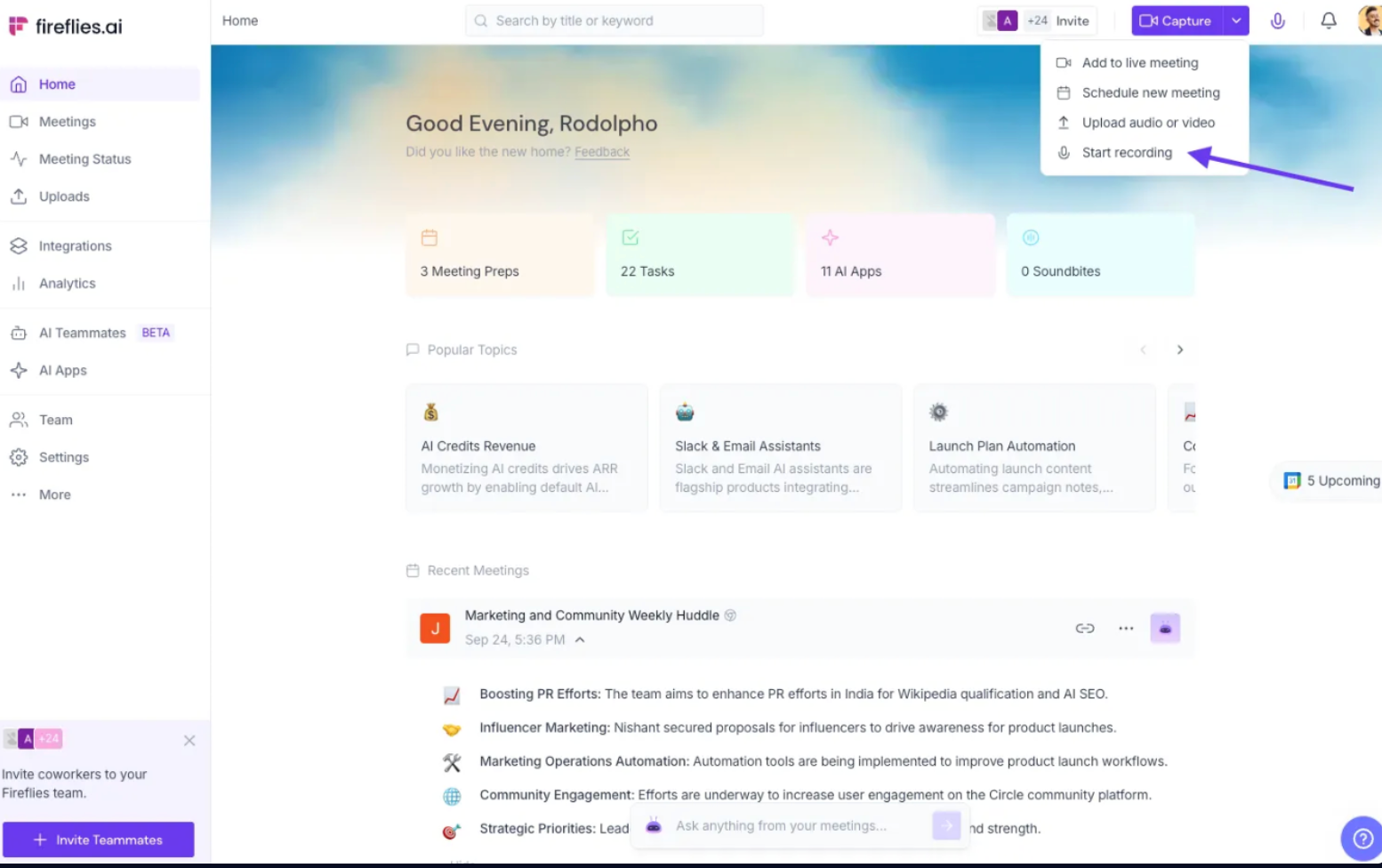

Best for: Firms wanting client calls, in-person meetings, and uploaded recordings governed by a single data policy.
Fireflies.ai does not use customer data to train any AI models. Your personal data is never used to train AI models. Users own their data. For meeting content shared with its AI vendors, Fireflies states, "We impose a zero-data retention policy for meeting content with our AI vendors."
Fireflies is SOC 2 Type II and GDPR compliant. HIPAA compliance is available only on the Enterprise plan, with a signed BAA plus Fireflies Private Storage. FERPA compliance is also Enterprise-only, with a signed DSA plus Private Storage.
Fireflies supports custom data retention on its Enterprise plan, from 1 week up to 1 year. If you don't set a retention period, your meetings stay in your account until you delete them, which you can do on any plan.
Fireflies suits firms wanting client calls, in-person meetings, and uploaded recordings handled under one data policy. Each capture method fits a different kind of legal work.
- Client calls on Zoom, Microsoft Teams, and Google Meet run through the Meeting Bot, which joins as a participant. Setup for transcribing Zoom meetings takes a few minutes.
- In-person client meetings go through the Mobile App. The guide to an AI notetaker for in-person meetings covers setup.
- If a client prefers no bot on an online call, the Desktop App gives you a bot-free option. Tell participants you're recording either way.
- Recorded interviews and depositions become searchable transcripts with an AI summary once you add them through File Upload, for your own prep only.
- Questions across past client conversations go to AskFred, which links each answer to the meeting it came from.
- Key moments become short Soundbites you can share with co-counsel.
- Accuracy reaches 99% in English and 95% in other languages, across 100+ languages.
Pricing:
- Free Forever: $0. Includes recording, unlimited transcription, up to 3 AI summaries per month, 800 minutes of storage per seat, and core project management integrations.
- Pro: $10/seat/month, billed annually, or $18/seat/month, month-to-month. Includes 8,000 minutes of storage per seat with a 2-hour recording limit, unlimited AI summaries, AI Skills, Voice Agents, and 20 AI credits.
- Business: $19/seat/month, billed annually, or $29/seat/month, month-to-month. Includes multilingual support, team analytics, 30 AI credits, and raises the recording limit to 3 hours.
- Enterprise: $39/seat/month, billed annually only. Includes HIPAA-BAA, SSO, a rules engine, dedicated support, and raises the limit to 4 hours.
You can check out the detailed Fireflies pricing here. Pricing last verified on October 7, 2026.
Limitation: The main trade-off is plan gating, since HIPAA, Private Storage, and custom data retention all require Enterprise.
Start with your next intake call. Try Fireflies free. |
Also read: Is Fireflies Safe?
2. Otter

Best for: Individual lawyers who want low-cost transcription for internal, low-sensitivity meetings.
Otter.ai's privacy policy says it trains its own AI on de-identified meeting audio. Enterprise admins can set a custom data retention policy through an Otter account manager.
A consolidated federal class action, In re Otter.AI Privacy Litigation, challenges how Otter.ai records meeting participants. On August 13, 2026, the court granted Otter.ai’s motion to dismiss in part while allowing the remaining claims to proceed. The order is a pleading-stage ruling and does not establish liability.
Otter.ai suits individual lawyers who want low-cost transcription for internal, low-sensitivity meetings. It joins Zoom, Google Meet, and Microsoft Teams calls as a separate participant, and Fireflies vs Otter compares the two.
Pricing:
- Basic: Free. Includes AI meeting summaries, chat across meetings, live transcription, speaker identification, mobile apps, and major integrations, with 300 transcription minutes per month.
- Pro: $8.33/user/month, billed annually or $16.99/user/month, month-to-month. Adds advanced AI workflows, speaker tagging, and integrations with Salesforce, HubSpot, and Zapier.
- Business: $19.99/user/month, billed annually, or $30/user/month, month-to-month. Includes unlimited meetings and recordings, custom AI workflows, and unlimited file imports.
- Enterprise: Custom pricing. Includes SSO, SCIM, security controls, domain capture, HIPAA support, and custom integrations.
You can check out the detailed Otter.ai pricing here. Pricing last verified on October 7, 2026.
Limitation: Pro caps each conversation at 90 minutes, which cuts off long strategy sessions, and Otter AI alternatives fill the gap. Firms switching can migrate transcripts from Otter to Fireflies.
3. Read AI

Best for: Teams who want model training kept strictly opt-in.
Read AI trains on your meetings only with your explicit opt-in, though its Customer Experience Improvement Program runs opt-out by default to evaluate product performance. Read AI also encrypts data in transit and at rest and signs BAAs for HIPAA.
Read AI fits teams that want model training kept opt-in. It joins meetings on Teams, Zoom, and Google Meet, and any participant can type "opt out" in the chat to remove Read AI and delete the recorded data, according to Read AI's help center. Fireflies vs. Read.ai compares the two side by side.
You can check out the detailed Read AI pricing here. Pricing last verified on October 7, 2026.
Pricing:
- Free: $0/user/month. Includes 5 meeting transcripts per month, enterprise search, AI summaries, coaching, Topic Readouts, basic integrations, and support for 20+ languages.
- Pro: $15/user/month, billed annually, or $19.75/user/month, month-to-month. Includes unlimited transcripts, priority processing, integrations, and unlimited storage.
- Enterprise: $22.50/user/month, billed annually or $29.75/user/month, month-to-month. Adds audio/video playback, highlights, and advanced collaboration.
- Enterprise+: $29.75/user/month, billed annually or $39.75/user/month, month-to-month, with 5+ licenses. Includes HIPAA compliance, SAML/SCIM, domain capture, custom data retention policies, and additional enterprise controls.
You can check out the detailed Read AI pricing here. Pricing last verified on October 7, 2026.
Limitation: Data retention policies are available only on Enterprise+, the most expensive tier.
4. Fathom

Best for: Individual lawyers testing AI meeting notes at zero cost.
Fathom's privacy policy says it may create de-identified data from meeting content to train its in-house models, and you can opt out in your account settings. The same policy bars third parties such as OpenAI, Anthropic, and Google from training on your content. Custom data retention is now part of the quote-only Enterprise plan.
Fathom fits individual lawyers testing AI meeting notes at no cost, since its free plan records, stores, and transcribes unlimited meetings on Zoom, Google Meet, and Microsoft Teams. Superhuman announced its acquisition of Fathom on September 14, 2026. Fireflies vs. Fathom breaks down the differences.
Pricing:
- Free: $0/user/month. Includes unlimited recordings and transcriptions, bot-free or bot-based capture, instant AI summaries, and clips, playlists, and search across calls.
- Premium: $16/user/month, billed annually, or $20/user/month, month-to-month. Adds advanced call summaries, AI-generated action items, a conversational meeting assistant, and custom meeting bots.
- Team: $15/user/month, billed annually or $19/user/month, month-to-month, with a 2-user minimum. Adds global search across calls, highlights playlists, and collaboration tools such as comments, folders, and keyword alerts.
- Business: $25/user/month, billed annually or $34/user/month, month-to-month, with a 2-user minimum. Adds CRM field sync, Deal View insights, coaching metrics and AI scorecards, and custom call summaries.
- Enterprise: $35/user/month, billed annually only, with a 2-user minimum. Adds Launch Assist onboarding, organization-wide security controls, SSO and SCIM provisioning, custom data retention programs, and a dedicated success manager with priority support SLAs.
You can check out the detailed Fathom pricing here. Pricing last verified on October 7, 2026.
Limitation: Custom data retention and a HIPAA BAA both require the quote-only Enterprise plan.
5. Microsoft Teams Premium and Microsoft 365 Copilot

Best for: Firms already running on Microsoft 365.
Microsoft says prompts, responses, and Graph data aren't used to train foundation LLMs. AI-generated meeting notes and tasks expire according to your organization's policies, and your existing Microsoft 365 retention settings govern them.
Intelligent recap, with AI notes and recommended tasks, needs a Teams Premium or Microsoft 365 Copilot license on top of a Microsoft 365 plan that includes Teams. Audio recap and Copilot's in-meeting assistant need the Copilot license. The setup fits firms already running on Microsoft 365, and the guide on how to take meeting notes in Microsoft Teams covers the native options.
Pricing:
- Microsoft Teams Premium: $10/user/month, billed annually. Requires a qualifying Teams license. Adds AI-powered meeting and call features, along with additional protection and personalized experiences.
- Microsoft 365 Copilot: $30/user/month, billed annually. Requires a separate license for a qualifying Microsoft 365 plan. Adds AI chat grounded in business data, Copilot across Word, Excel, PowerPoint, Outlook, and Microsoft Teams, Copilot Studio, and enterprise-grade security, privacy, and compliance.
You can check out the detailed Microsoft Teams Premium pricing here. Pricing last verified on October 7, 2026.
Limitation: You pay for a base Microsoft 365 license before you add either AI license.
6. Rev

Best for: Depositions, hearings, and recorded statements needing a human-verified transcript.
Rev's help center says it does not use customer data to train AI models or LLMs and bars third-party processors from training on it. The same page says Rev trains its own speech recognition models on customer recordings. Rev processes and stores all customer data in the United States. Law firms can get custom retention policies, and you can delete files at any time. HIPAA compliance is available on Rev Enterprise only.
Rev is the pick for certified, human-verified transcripts of depositions, hearings, and recorded statements. Its human transcription carries a 99% accuracy guarantee with a turnaround of 12 hours or less. Among legal transcription software, Rev and similar services own the certified-transcript job.
Pricing:
- Free: $0/user/month. Includes English transcription, analysis of up to 5 files at a time, a document editor, page-line citations for depositions, mobile dictation and recording, and 45 minutes of AI transcription and captioning per month.
- Essentials: $29.99/seat/month, month-to-month or $25.49/seat/month, billed annually. Includes English and Spanish transcription, analysis of up to 10 files at once, prebuilt workflow templates, 10% off human-verified transcription services, and 5,000 AI transcription and caption minutes per user per month, with up to 3 users.
- Pro: $59.99/seat/month, month-to-month or $47.99/seat/month, billed annually. Includes 37+ languages, analysis of up to 50 files at once, custom workflow templates, image analysis, Clio Manage integration, 15% off human-verified transcription, and 10,000 AI transcription and caption minutes per user per month, with up to 5 users.
- Unlimited: Custom pricing. Includes CJIS and HIPAA compliance with advanced privacy controls, SSO, analysis of up to 500 files at once, a dedicated investigative workflow specialist, custom discounts on human-verified transcription services, and unlimited AI transcription and caption minutes per user per month.
You can check out the detailed Rev pricing here. Pricing last verified on October 7, 2026.
Limitation: Human rates add up fast. At Rev's $1.99 per-minute human rate, a three-hour deposition (180 minutes) costs about $358.
7. Sonix

Best for: Firms transcribing large batches of recorded audio across languages.
Sonix's security page says it does not use your data to train its models, and it encrypts data in transit with TLS. Enterprise adds file retention and deletion controls along with SSO and audit logs. It also covers a DPA and a BAA.
Sonix suits firms transcribing large batches of recorded audio, with transcription and translation in 54+ languages, speaker labels, and a custom dictionary. As legal transcription software, it handles AI legal transcription of files you already hold.
Pricing:
- Pay As You Go: $10/hour. Includes pay-as-you-go transcription and translation, 5 GB of storage, a single-user workspace, and self-serve support. AI workspace usage is not available.
- Core: $25/month, month-to-month or $275/year, billed annually. Includes 5 hours/month or 60 hours/year of transcription and translation, 5 hours/month or 60 hours/year of AI workspace usage, 25 GB of storage, and 1 included user. Additional seats cost $25/month or $275/year each. Email support has a 48-hour response time.
- Advanced: $50/month, month-to-month or $550/year, billed annually. Includes 20 hours/month or 240 hours/year of transcription and translation, 25 hours/month or 300 hours/year of AI workspace usage, 50 GB of storage, and 1 included user. Additional seats cost $25/month or $275/year each. Email and chat support has a 12-hour response time.
- Pro: $80/month, month-to-month or $880/year, billed annually. Includes 40 hours/month or 480 hours/year of transcription and translation, 100 hours/month or 1,200 hours/year of AI workspace usage, 100 GB of storage, and 1 included user. Additional seats cost $25/month or $275/year each. Priority email and chat support has a 4-hour response time.
You can check out the detailed Sonix pricing here. Pricing last verified on October 7, 2026.
Limitation: Retention controls and a BAA require Enterprise, leaving the self-serve plans without them.
How Lawyers Use AI Notetakers
You'll lean on an AI note taker for lawyers most during intake calls, strategy meetings, deposition prep, and calls with co-counsel or experts. In each case, the transcript and summary feed your own work product, and every legal judgment stays with you and your team.
Client intake calls
On an intake call, Fireflies captures every date and name a new client shares in the first conversation. A searchable transcript ends any argument over a misheard date, and you can pair it with AI tools to automate follow-up emails for the welcome email.
Pro Tip: Set up Restriction Rules under Settings → Recording & Privacy → Recording Rules. Add title keywords such as “confidential” or “personal,” and Fireflies will skip meetings with those words in the title. The guide on how to set Recording Rules walks through each step. |
Case strategy and team meetings
Automated meeting notes software keeps every strategy decision findable. AskFred filters by time range, meeting, host, or participant, letting you pull every mention of a settlement figure from the last quarter.
AI deposition summary and interview prep
Upload the recording, then ask AskFred when the witness first mentioned the invoice. Keep any AI deposition summary inside your prep file, and leave anything you file to a certified service. The guide to transcribe audio to text covers file formats.
Co-counsel and expert calls
Clip an expert's key explanation as a Soundbite, then share it by name, email, or user group. The guide on how to write a meeting summary helps you package the rest.
Privilege, Consent, and Recording Laws
Treat every recorded call as a consent question first. Tell participants you're recording, check the rules in each state on the call through a source such as Justia's 50-state survey, and decide in advance which cases stay unrecorded. None of this is legal advice, and no tool settles a privilege question on its own.
Fireflies gives you two notices. An email goes to everyone on the invite one hour before the call, and a meeting chat notification posts as soon as Fireflies joins.
Did You Know? A 2026 review of state statutes found 11 all-party consent states, including California, Florida, Illinois, and Pennsylvania. |
Confirm your approach with your firm's ethics counsel before any firm-wide rollout.
Also read: Is it Illegal to Record a Conversation?
Choose the Tool You Can Defend to a Client
The best AI note taker for lawyers is the one whose data terms you can show a client in writing. Fireflies states it does not use customer data to train any AI models, and Enterprise adds custom retention, Private Storage, and HIPAA with a BAA. Start with internal meetings, review the settings with your ethics counsel, and then bring client calls into the workflow.
Your next client call deserves a better record. Try Fireflies free. |
Frequently Asked Questions
Can lawyers use AI notetakers?
Yes, you can use AI notetakers as a lawyer when the tool fits your duties of competence, confidentiality, communication, and supervision under ABA Formal Opinion 512. Choose an AI note taker for lawyers with written training and retention commitments, tell clients how you use it, and review every transcript before you rely on it.
Do AI notetakers break attorney-client privilege?
AI notetakers can raise attorney-client privilege questions, and using a tool does not automatically preserve privilege. The answer depends on facts such as who has access to the conversation and how the vendor handles the data. Bring any attorney-client privilege concerns involving AI to your ethics or compliance counsel.
Is Otter.ai safe for lawyers?
Otter.ai's safety for lawyers depends on how its data terms fit your ethics obligations. Its privacy policy says it trains its own AI on de-identified audio, and a consolidated federal class action over how it records participants continues after an August 2026 ruling let core claims proceed. Review those terms with your ethics counsel before using Otter.ai on client files
Can AI transcribe depositions?
Yes, AI can transcribe deposition recordings you upload, and the AI summary helps you prepare faster. Treat both as working drafts for your own review. Certified, court-ready transcripts still come from a court reporter or a certified human transcription service such as Rev.
Do I need client consent to record a meeting with AI?
You may need client consent to record a meeting with AI, depending on the states involved and your ethics rules. Some states require every participant to agree. ABA Formal Opinion 512 calls the engagement agreement "a logical place to make such disclosures," and you must disclose AI use if a client asks.

Shivani Bohare is a freelance B2B SaaS content writer and editor with 7 years of experience across engineering, sales and marketing. Her writing spans AI and productivity tools, conversational AI and voice tech, sales and marketing tech, and fintech.


