7 Best AI Notetakers for Financial Advisors in 2026 (CRM and Compliance Compared)
 Shivani Bohare20 min read

On this page
- What Financial Advisors Should Look For in an AI Notetaker
- Quick Comparison of AI Tools for Financial Advisors
- The 7 Best AI Notetakers for Financial Advisors
- 1. Fireflies
- 2. Jump
- 3. Zocks
- 4. Zeplyn
- 5. FinMate AI
- 6. Otter
- 7. Fathom
- How Advisors Use AI Notetakers
- Discovery and onboarding meetings
- Annual reviews
- In-person client meetings
- Internal team and investment committee meetings
- Compliance: What to Check With Your CCO
- How to Set Up a Wealthbox AI Notetaker or Redtail Sync With Fireflies
- Choosing the Right Fit for Your Practice
- Frequently Asked Questions
- Can financial advisors use AI notetakers?
- Are AI notetakers FINRA compliant?
- Which AI notetaker integrates with Wealthbox?
- Which AI notetaker integrates with Redtail?
- Do I need client consent to record a meeting?
Fireflies is the best AI note taker for financial advisors who run their practice on Wealthbox or Redtail. Fireflies integrates with Wealthbox and Redtail, syncing meeting notes and action items to client records, and keeps working across your internal meetings, email, and Slack.
We judged seven AI tools for financial advisors on CRM sync, compliance support, and output quality on client meetings. Kitces research ranks advisor-built tools like Jump and Zocks as the leading standalone notetakers, and both get a fair hearing below, alongside general tools like Otter and Fathom. Every tool gets one honest limitation, Fireflies included.
What Financial Advisors Should Look For in an AI Notetaker
Start with where your notes land. An AI note taker for financial advisors should file notes and tasks in the right client record in Wealthbox, Redtail, or Salesforce, then pass a compliance review. Kitces counts 18 different AI notetakers on its AdvisorTech Map, all competing for the same advisors.
Zoom’s built-in AI also appears in advisor surveys, and our Fireflies vs. Zoom AI Companion comparison shows how far a dedicated AI notetaker for financial advisors goes beyond it.
Score every vendor on your shortlist against these seven checks.
- Check where notes land in Wealthbox, Redtail, or Salesforce, and confirm action items arrive as tasks on the right contact. Clean sync saves you from having to organize meeting notes by hand.
- Ask each vendor about retention and deletion settings, encryption, and its data training policy.
- Test client names, fund names, and acronyms like RMD or QCD on a real meeting, since AI transcription quality varies most with jargon.
- Compare the summaries, action items, and follow-up emails each tool drafts, using our AI tools to automate your follow-up emails roundup as a benchmark. Our AI summary generator guide shows what a strong summary includes.
- Confirm the tool can capture a client across the desk from you, with no video call involved.
- Look for automatic notices telling clients you’re capturing the meeting.
- Price out every seat you need, including assistants and paraplanners.
Pro Tip: Add a breach-notification clause to every vendor contract. Amended Regulation S-P, in force for smaller RIAs since June 3, 2026, requires service providers to notify you within 72 hours of a breach involving customer information. |
Quick Comparison of AI Tools for Financial Advisors
The table compares seven AI tools for financial advisors on best fit, CRM integrations, compliance support, and starting price. Fireflies, Jump, Zocks, Zeplyn, and FinMate AI connect to Wealthbox or Redtail, while Otter and Fathom focus on Salesforce and HubSpot. Prices show the annual rate first, then month-to-month, wherever vendors publish both.
Tool | Best for | CRM integrations | Compliance support | Starting price |
Fireflies | Wealthbox or Redtail users needing coverage beyond client calls | Wealthbox, Redtail, Salesforce, HubSpot, and 100+ integrations | SOC 2 Type II, GDPR, HIPAA and FERPA on Enterprise only (with a signed BAA or DSA plus Private Storage) | Free plan, then Pro at $10/user/month billed annually, or $18/user/month month-to-month |
Jump | Notes plus onboarding and growth tools | Salesforce, Wealthbox, Redtail, HubSpot, Practifi | SOC 2-certified infrastructure, audit trails | Meet at $100/advisor/month billed annually, or $120/advisor/month month-to-month |
Zocks | Notes with no recording kept | Salesforce, Wealthbox, Redtail, HubSpot, Practifi | SOC 2 Type 2, never records client conversations | Essentials at $67/user/month billed annually, or $80/user/month month-to-month |
Zeplyn | Larger RIAs needing deployment control | Salesforce, Wealthbox, Redtail, HubSpot, Practifi | SOC 2 Type II, zero data retention, PII redaction | Not published |
FinMate AI | Advisor-built notes at a low entry price | Wealthbox, Redtail | SOC 2 Type 2, US-only data storage | Standard at $39/month billed annually, or $50/month month-to-month |
Otter | Solo advisors on a tight budget | Salesforce, HubSpot, Microsoft Dynamics, Zoho | HIPAA as an Enterprise add-on | Pro at $8.33/user/month billed annually, or $16.99/user/month month-to-month |
Fathom | Testing a notetaker for free | Salesforce, HubSpot | HIPAA with a signed BAA, SSO on Enterprise | Premium at $16/user/month billed annually, or $20/user/month month-to-month |
What syncs where:
Aspect | Fireflies | Jump | Zocks | Zeplyn | FinMate AI |
Notes | Wealthbox contacts and linked opportunities. Redtail contact Notes section | Wealthbox contact record. Redtail contact or activity | Wealthbox Notes or Events. Redtail Activity or Note | Wealthbox matching contact | Wealthbox contact record |
Tasks | Wealthbox linked or general tasks. Redtail 15-minute follow-up tasks | Wealthbox tasks assigned to a user. Redtail follow-up tasks | Tasks assigned across your team | Wealthbox post-meeting tasks | Not stated |
Contacts | Optional new contacts from meeting participants | Redtail contact fields | Wealthbox key data fields. Redtail contact fields | Not stated | Not stated |
Opportunities | Wealthbox linked opportunities | Not stated | Not stated | Not stated | Not stated |
Last verified: October 10, 2026, on each vendor's pricing and integrations pages.
The 7 Best AI Notetakers for Financial Advisors
Each AI note taker for financial advisors below gets a best-for line, CRM and compliance details, one honest limitation, and full pricing with annual and monthly rates. The two general-purpose tools at the end suit advisors who log CRM notes by hand.
1. Fireflies

Alt text: Fireflies Integrations page
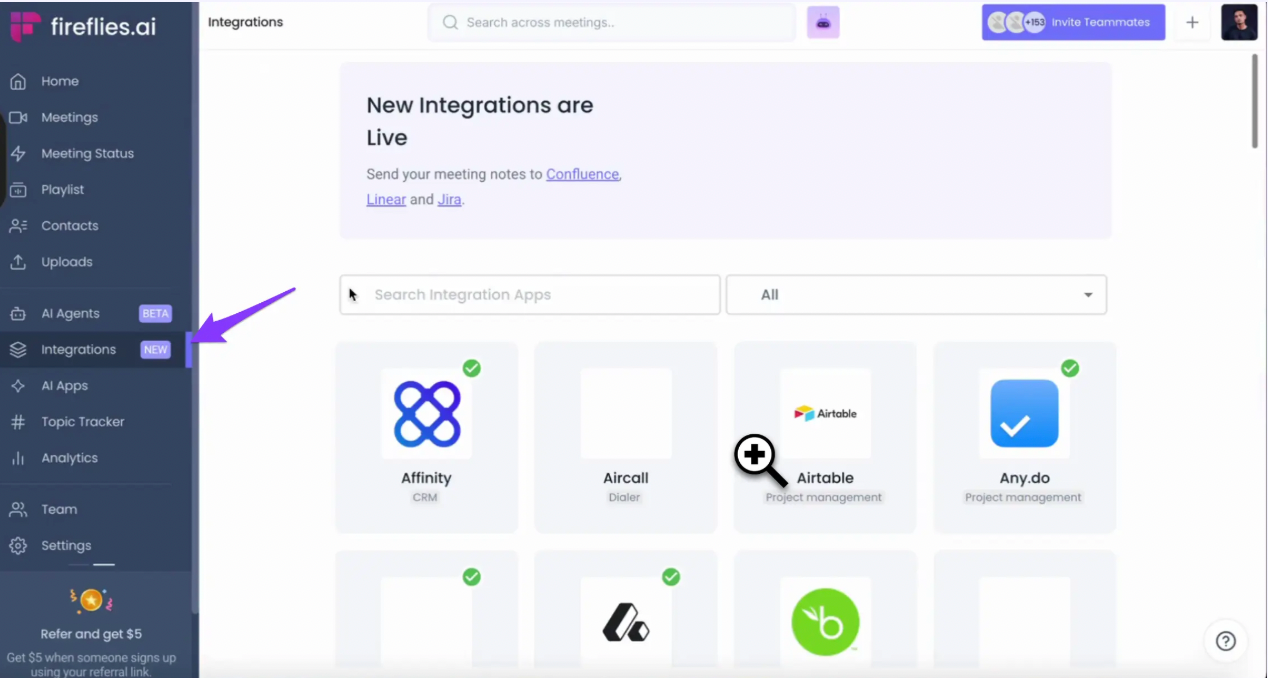
Best for you if you want an AI note taker for financial advisors built around Wealthbox or Redtail, with one AI Teammate for everything around your client meetings.
Fireflies is the #1 AI Teammate for meetings, email, Slack, CRM, and work. 20M+ people across 1M+ organizations use it, including teams at 75% of the Fortune 500. If your search started with an AI assistant for financial advisors, Fireflies goes further as an AI Teammate, starting with your client meetings and carrying the follow-through into your inbox and Slack.
CRM integrations:
- The Fireflies Wealthbox integration sends meeting notes to matching contacts and their linked opportunities and turns action items into tasks. A meeting with one external participant creates a task linked to that contact, and a meeting with several creates a general task. Wealthbox’s own Fireflies listing adds automatic contact creation for new meeting participants.
- With the Fireflies Redtail integration, your notes land in the matching contact’s Notes section, and you can choose to create new contacts automatically. Action items can become 15-minute follow-up tasks in Redtail, scheduled seven days after the meeting.
- Salesforce and HubSpot connect from the same Integrations page, and on Business or higher plans, Integration Rules filter which meetings reach your CRM.
Key features:
- The Meeting Bot joins virtual reviews on Zoom, Google Meet, and Teams. The Desktop App offers botless capture, and you still tell every participant you’re capturing the call.
- The Mobile App or web recorder captures an in-office review.
- AskFred searches your meetings, email, Slack, and CRM, finds what a client said about their rollover months ago, and points you to the source.
- A Meeting Prep email lands an hour before each recurring review, with context from past meetings.
- Fireflies transcribes 100+ languages with 99% accuracy in English, 95% in other languages, and custom vocabulary teaches it your clients’ names and your firm’s acronyms.
- The Email Connector drafts your post-review follow-ups. Inside Slack, the Slack Connector recaps your team's channels.
Compliance support:
Fireflies is SOC 2 Type II and GDPR compliant. Fireflies.ai does not use customer data to train any AI models. Your personal data is never used to train AI models. Users own their data.
We impose a zero-data retention policy for meeting content with our AI vendors. HIPAA compliance requires the Enterprise plan with a signed BAA plus Fireflies Private Storage, and FERPA follows the same rule with a signed DSA.
Limitation:
Fireflies isn’t a recordkeeping or archiving system, and your firm’s archiving vendor still covers SEC and FINRA books-and-records rules. Automatic deletion schedules also require the Enterprise plan.
Pricing:
- The free plan gives you 3 AI summaries a month and 800 mins of storage per seat (pooled).
- Pro costs $10/user/month billed annually, or $18/user/month month-to-month, with unlimited AI summaries and 8,000 mins of storage per seat.
- Business costs $19/user/month billed annually, or $29/user/month month-to-month, and adds unlimited storage and team analytics for admins.
- Enterprise costs $39/user/month, billed annually only, and adds SSO, Private Storage, and custom data retention.
You can check out the detailed Fireflies pricing here. Last verified October 10, 2026.
Running reviews out of Wealthbox or Redtail? Try Fireflies for free |
2. Jump

Alt text: Jump financial planning dashboard with client tasks, account consolidation, 529 plan setup, projections, and follow-up email
Best for you if your team wants meeting notes, client onboarding, and growth prompts inside one advisor-only platform.
Jump calls itself an AI assistant for financial advisors and turns meetings, emails, and documents into notes, workflows, and audit-ready records. Its Meet product handles scheduling, prep, notes, and follow-up, and Onboard collects documents and fills forms for new clients. In Kitces Research on Advisor Technology, Jump posted the highest adoption among standalone AI notetakers at 9.7%.
CRM integrations:
Jump lists Salesforce, Wealthbox, Redtail, HubSpot, and Practifi among its CRM connections, plus planning tools like eMoney and RightCapital.
Compliance support:
Jump runs on SOC 2-certified infrastructure with enterprise-grade audit trails, and you choose transcript-only, summary-only, or full audio and video recording.
Limitation:
Jump lists no free plan, and its pricing page offers a trial without stating how long it lasts or what it includes.
Pricing:
- Meet, the core plan, costs $100/advisor/month billed annually, or $120/advisor/month month-to-month.
- Onboard and Grow are add-ons at $50/advisor/month each billed annually, or $60/advisor/month each month-to-month. Both route you to a demo; neither offers a self-serve trial.
- Enterprise pricing comes through sales.
You can check out the detailed Jump pricing here. Last verified October 10, 2026.
3. Zocks

Alt text: Zocks meeting dashboard showing client meeting summaries, CRM export options, prospect onboarding workflows, and sentiment analysis for financial advisors
Best for you if your compliance team wants client notes with zero audio on file.
Zocks never records client conversations, and 5,000+ firms use it. Before a meeting, it preps your agenda, action items, and client email drafts. Afterward, it fills intake forms, fact finders, and fields in planning software. Kitces ranks it second among standalone AI notetakers, behind Jump.
CRM integrations:
Zocks names Salesforce, Wealthbox, Redtail, HubSpot, Practifi, and Microsoft Dynamics 365 among the CRMs on its pricing page. Wealthbox’s Zocks listing describes a bi-directional integration that syncs events and notes, assigns tasks, and updates key data fields.
Compliance support:
Zocks lists SOC 2 Type 2 and encryption at rest and in transit on its security page, and its homepage adds customizable retention policies.
Limitation:
Recording-free notes leave you with zero audio to replay in a dispute.
Pricing:
- Essentials costs $67/user/month billed annually, or $80/user/month month-to-month.
- Professional costs $117/user/month billed annually, or $140/user/month month-to-month, and adds privacy controls, data export, and a $25/month admin assistant seat.
- Ultimate costs $184/user/month billed annually, or $220/user/month month-to-month, and raises onboarding sessions from one to three.
- Enterprise Platform pricing comes through sales.
You can check out the detailed Zocks pricing here. Last verified October 10, 2026.
4. Zeplyn

Alt text: Zeplyn homepage showing client research, meeting summaries, opportunity discovery, and workflow execution across the firm
Best for you if your RIA needs control over where the software runs.
Zeplyn writes recording-free notes across video calls, in-person meetings, phone calls, and dictation. It also preps you with client history and flags planning moments like RMDs and idle cash. After the call, it drafts recap emails and proposal packages, and it pre-fills forms to open accounts.
CRM integrations:
Zeplyn lists Salesforce, Wealthbox, Redtail, Practifi, and HubSpot. Wealthbox's help center confirms Zeplyn syncs AI notes and post-meeting tasks to the matching contact.
Compliance support:
Zeplyn holds SOC 2 Type II certification and lists zero data retention, automatic PII redaction, and role-based access. For larger firms, it offers single-tenancy and bring-your-own-cloud (BYOC) deployment.
Limitation:
Zeplyn lists no free plan or trial, and you’ll first see its notes in a sales demo.
Pricing:
- Zeplyn doesn’t publish pricing, and quotes come after a demo.
Visit Zeplyn to request a quote. Last verified October 10, 2026.
5. FinMate AI

Alt text: FinMate AI homepage showcasing AI-powered workflows, meeting notetaking, and agentic AI systems for financial advisors
Best for you if you want advisor-built notes at a low entry price.
FinMate AI brands itself as an agentic co-pilot for advisors, automating workflows, delivering client insights, and pre-filling forms. Its iOS app takes notes in in-person meetings with one tap. Wealthbox describes FinMate as an AI-driven note-taking tool for financial professionals, built for discovery and review meetings.
CRM integrations:
Wealthbox lists FinMate as a partner, and notes arrive as notes in the Wealthbox contact record. Redtail’s support center carries a FinMate AI integration article.
Compliance support:
FinMate’s security page lists SOC 2 Type 2, ISO 27001-aligned practices, US-only data storage, and no AI training on user data. It keeps transcripts for 6 months and audio or video for 1 month.
Limitation:
FinMate AI’s own website doesn’t list its CRM integrations or explain how it handles phone meetings, though Wealthbox and Redtail each list a FinMate integration on their own sites.
Pricing:
- Standard costs $39/month billed annually, or $50/month month-to-month.
- Enterprise offers custom pricing for large teams, plus priority support, custom integrations, and an SLA guarantee.
- Both plans include AI meeting summaries, task generation, and CRM integrations.
You can check out the detailed FinMate AI pricing here. Last verified October 10, 2026.
6. Otter

Alt text: Otter AI homepage showcasing its conversational knowledge engine, which turns meeting transcriptions into searchable knowledge to power workflows
Best for you if you're a solo advisor who wants low-cost transcription and runs your CRM by hand.
Otter transcribes Zoom, Teams, and Google Meet calls, identifies speakers, and lets you chat with your notes. Its mobile app transcribes everyday conversations through your phone’s built-in mic, which covers in-office reviews. Transcripts appear in real time as the conversation happens.
CRM integrations:
Otter’s integrations page lists Salesforce, HubSpot, Microsoft Dynamics, and Zoho, with Salesforce and HubSpot sync on Pro limited to one user. Confirm Wealthbox or Redtail support with Otter before you buy.
Compliance support:
HIPAA comes as a paid add-on on Enterprise, and SSO requires a 100-user Enterprise license.
Limitation:
The free Basic plan caps each conversation at 30 minutes. You can migrate transcripts from Otter to Fireflies later if you outgrow it.
Pricing:
- Basic is free with 300 transcription minutes a month.
- Pro lists at $8.33/user/month billed annually, or $16.99/user/month month-to-month, before Otter’s current discount.
- Business costs $19.99/user/month billed annually, or $30/user/month month-to-month.
- Enterprise pricing is custom.
You can check out the detailed Otter pricing here. Last verified October 10, 2026.
7. Fathom

Alt text: Fathom AI meeting summary of a quarterly sales review, showing the meeting purpose, topics with timestamped highlights, and the start of an Action Items section
Best for you if you want to test AI meeting notes for free before committing.
Fathom records unlimited meetings on its free plan, with instant AI call summaries, clips, and search across calls. Ask Fathom answers questions within a single call, and an account-wide version is in beta.
CRM integrations:
Fathom’s integrations page highlights Salesforce and HubSpot, with CRM field sync on Business. Fathom’s integrations page lists no Wealthbox or Redtail connection.
Compliance support:
Fathom lists HIPAA with a signed BAA among its features, and SSO with SCIM provisioning comes on Enterprise.
Limitation:
Fathom’s pricing page lists bot-free capture as a beta feature for Mac only, and a bot in the call remains the standard way to record on other devices.
Pricing:
- The free plan carries no time limit on recordings.
- Premium costs $16/user/month billed annually, or $20/user/month month-to-month, and adds advanced call summaries and AI-generated action items.
- Team costs $15/user/month billed annually, or $19/user/month month-to-month, with a two-user minimum.
- Business costs $25/user/month billed annually, or $34/user/month month-to-month, with a two-user minimum, and adds CRM field sync.
- Enterprise pricing comes through sales.
You can check out the detailed Fathom pricing here. Last verified October 10, 2026.
How Advisors Use AI Notetakers
An AI notetaker for financial advisors earns its seat in four kinds of meetings, from discovery calls to investment committee sessions, and each needs a different output. Virtual reviews start with the steps to transcribe Zoom meetings, and in-person reviews need only a phone on your desk.
Discovery and onboarding meetings
A first meeting produces facts you'll reference for years, from beneficiaries to risk tolerance. Your notetaker turns them into a clean contact record, and one of our follow-up email templates confirms next steps with the prospect. If your firm also sells project-based planning, our guide to the best AI notetaker for consultants covers project engagements.
Annual reviews
Searchable transcripts confirm last year’s commitments before you walk in, and our types of meeting agendas help you structure the review. Afterward, a short meeting recap gives the client their decisions in plain language. Our guide on how to write a meeting summary helps you shape the internal version.
AskFred can draft a follow-up like the one below from a review’s notes:
Hi [Client name], thanks for today’s review. We agreed to [decision] and will revisit [topic] next quarter. I’ll handle [advisor task], and we need [client task] from you by [date].
In-person client meetings
When a client prefers your conference room to a video call, an AI note taker for financial advisors must capture the meeting without any bot presence. Our guide to the best AI notetaker for in-person meetings shows how a phone on the table records the full conversation. The summary then hands the client a short list of meeting takeaways before they leave.
Internal team and investment committee meetings
AI meeting minutes give your committee a dated account of who decided what. Consistent meeting minutes templates keep every session in the same format, which helps when you revisit a decision months later.
Did You Know? Kitces Research puts meeting preparation and follow-up at about one hour each per client meeting for advisors working without an AI notetaker, two full hours behind every conversation. |
Our tips for taking meeting minutes cover what to record on each decision.
Compliance: What to Check With Your CCO
No AI note taker for financial advisors makes your firm compliant on its own, because rules on books and records, privacy, and client consent apply to your firm. Treat every vendor claim as a starting point for your CCO. The guidance below is plain English and isn’t legal or compliance advice.
- Broker-dealers keep records under SEC Rule 17a-4. FINRA Rule 4511 adds a six-year minimum where no other period applies. RIAs must maintain and preserve specified books and records under Advisers Act Rule 204-2, and many firms rely on third-party archiving vendors to meet these obligations.
- The SEC’s amended Regulation S-P requires written incident response programs and oversight of service providers with access to customer information. Any AI assistant for financial advisors you add becomes one of those service providers.
- State recording laws differ, and some require consent from every participant. Read our guide on is it illegal to record a conversation, then turn on automatic notices, like an email an hour ahead and a chat message when recording starts. Estate attorneys you co-advise with face similar rules, covered in our AI notetaker for lawyers guide.
- On Enterprise, Fireflies lets you set an auto-delete period from 1 week up to 1 year for meetings, recordings, and transcripts. Without one, your data stays until you delete it manually, which any plan allows.
- Ask where each vendor stores recordings and if it trains models on them.
Also read: Is Fireflies safe?
Confirm your setup with your compliance team before you record a single client meeting.
Did You Know? FINRA's 2026 oversight report found summarization is the top GenAI use case among member firms, and it warns GenAI can implicate rules on supervision, communications, and recordkeeping. |
How to Set Up a Wealthbox AI Notetaker or Redtail Sync With Fireflies
Wealthbox launched its own Wealthbox AI Notetaker in its Meetings component on October 30, 2025, and Fireflies connects natively to the same CRM. If you’re comparing the two, run both on one review. Fireflies’ Wealthbox setup guide covers four steps, and Redtail differs in a few places, noted below.
- Connect your CRM. Open Integrations in Fireflies, search for Wealthbox or Redtail, and click Connect.

Alt text: Fireflies Integrations page showing CRM options for connecting Wealthbox
- Authorize access. Click Authorize on the Wealthbox screen, or enter your Redtail username and password and click Authorize.

Alt text: CRM authorization screen for connecting Fireflies to Wealthbox
- Configure sync preferences. In Wealthbox, turn on contact creation for new participants, notes to existing contacts, and notes to linked opportunities, and Fireflies turns action items into tasks. In Redtail, you can create new contacts automatically, sync notes only to existing contacts, and create tasks from action items. Business or higher plans add Integration Rules to filter meetings.

Alt text: Fireflies sample note and contact used to verify meeting data sync with Wealthbox
- Test with a sample meeting. In Wealthbox, click “Create sample note for a sample contact in Wealthbox.” In Redtail, send a sample note. Click Continue and Save, then check the note on the sample contact.
Redtail works a little differently. It has no opportunity mapping, action items arrive as 15-minute follow-up tasks scheduled seven days after the meeting, and a green checkmark next to the Redtail icon confirms the integration is active.
Pro Tip: Compare your first five synced notes against your own. In the Oasis Group’s study of six advisor notetakers, most achieved accuracy rates of 95% or higher, yet you remain responsible for every note in the client file. |
Choosing the Right Fit for Your Practice
Pick Fireflies as your AI note taker for financial advisors if you run on Wealthbox or Redtail and want one AI Teammate across meetings, email, and Slack. Advisor-built tools like Jump, Zocks, Zeplyn, and FinMate AI fit if you want onboarding forms, recording-free notes, or planning-tool sync built in. For transcription with manual CRM entry, Otter or Fathom keeps costs low.
Ready to see your next review in Wealthbox or Redtail? Try Fireflies for free |
Frequently Asked Questions
Can financial advisors use AI notetakers?
Financial advisors can use AI notetakers, as long as the tool fits your firm's compliance policies. Get client consent, confirm retention and data training terms, and have your CCO approve the vendor first. Review each summary before it reaches your CRM, because the record stays yours.
Are AI notetakers FINRA compliant?
AI notetakers can't be FINRA compliant on their own, because FINRA rules govern your firm and its people. Your firm meets books-and-records duties through its own policies and archiving vendor. Any AI notetaker for financial advisors can support the process with retention controls, encryption, and CRM logging.
Which AI notetaker integrates with Wealthbox?
Fireflies, Jump, Zocks, Zeplyn, and FinMate AI integrate with Wealthbox, and Wealthbox also offers its own built-in AI Notetaker. As a Wealthbox AI notetaker, Fireflies sends notes to matching contacts and linked opportunities and turns action items into tasks. For general tools like Otter and Fathom, confirm Wealthbox support with the vendor.
Which AI notetaker integrates with Redtail?
Fireflies, Jump, Zocks, Zeplyn, and FinMate AI integrate with Redtail. Fireflies logs meeting notes to the client’s contact record, can create new contacts automatically, and can turn action items into 15-minute follow-up tasks. For general tools like Otter and Fathom, confirm Redtail support with the vendor.
Do I need client consent to record a meeting?
You may need client consent to record meetings, depending on state law. California and Florida generally require all-party consent for confidential conversations, while other states allow one-party consent. As a best practice, notify clients in advance and obtain their consent before recording or transcribing a meeting.

Shivani Bohare is a freelance B2B SaaS content writer and editor with 7 years of experience across engineering, sales and marketing. Her writing spans AI and productivity tools, conversational AI and voice tech, sales and marketing tech, and fintech.